
Eye Touch - Real-time Eye Tracking and Gaze Control System
Wearable Electronic Technology - Course Project
Project Resources
The complete Python source code, database file, configuration files, and more are available in the GitHub repository. An executable installer is also provided, which includes the full runtime environment and can be used without any extra configuration.
Team Information
Advisor
Prof. Wenbin Chen (School of Optoelectronic Science and Engineering, UESTC)
Team Members
- Me - Software System Development, Human-Computer Interaction
- Yanbo Wu (School of Optoelectronic Science and Engineering, UESTC) - Pupil Center Detection Algorithm
- Sunzhi Wen (School of Optoelectronic Science and Engineering, UESTC) - Trajectory Recognition and Calibration
Project Background
Eye-tracking technology holds immense potential in fields like human-computer interaction, medical diagnostics, and psychological research. However, traditional solutions often rely on expensive, specialized hardware (e.g., Tobii eye trackers costing thousands of dollars), severely limiting their widespread adoption and application.
Our project stemmed from a bold idea: could we build a low-cost, easily implementable eye-tracking system using only a standard laptop camera and advanced software algorithms? This concept emerged during our 'Wearable Electronic Technology' course. We aimed to lower the barrier to entry for eye-tracking technology, providing a viable solution for educational demonstrations, assistive interaction design, and low-budget scientific research.
The core objective is to achieve a 'pixel-to-intent' conversion: capturing eye images via a camera, identifying pupil positions, establishing a coordinate mapping relationship for precise eye-gaze-to-screen-coordinate correspondence, and ultimately building a complete interactive eye-tracking system.
Low-Cost Solution
Requires only a standard laptop camera, eliminating the need for expensive specialized hardware and significantly lowering the entry barrier.
Independent Process Architecture
Resolves DLL conflicts through an independent process architecture, enabling high-precision calibration and real-time eye tracking.
Multi-Domain Applications
Valuable for accessibility aids, HCI research, gaming, entertainment, education, and training.
Data Caching
Supports local caching of the latest calibration data to avoid repetitive calibration and improve system efficiency.
System Architecture
Early in the project, we faced a critical issue: a severe DLL conflict between the PyQt6 UI library and the MediaPipe vision processing library. They depended on different versions of the C++ runtime, causing the program to crash instantly upon initializing MediaPipe. This was an architectural roadblock that had to be solved first.
Core Challenge: DLL Conflict
Symptom: Program crashes immediately on startup with a "DLL load failed" error.
Root Cause: Both libraries depend on different C++ runtime versions, which cannot be loaded in the same process.
Our Solution: Independent Process Architecture
To completely isolate the conflict, I designed an independent process architecture. The main process is dedicated to UI rendering and user interaction, while all computationally intensive and conflicting vision processing tasks are offloaded to a separate child process.
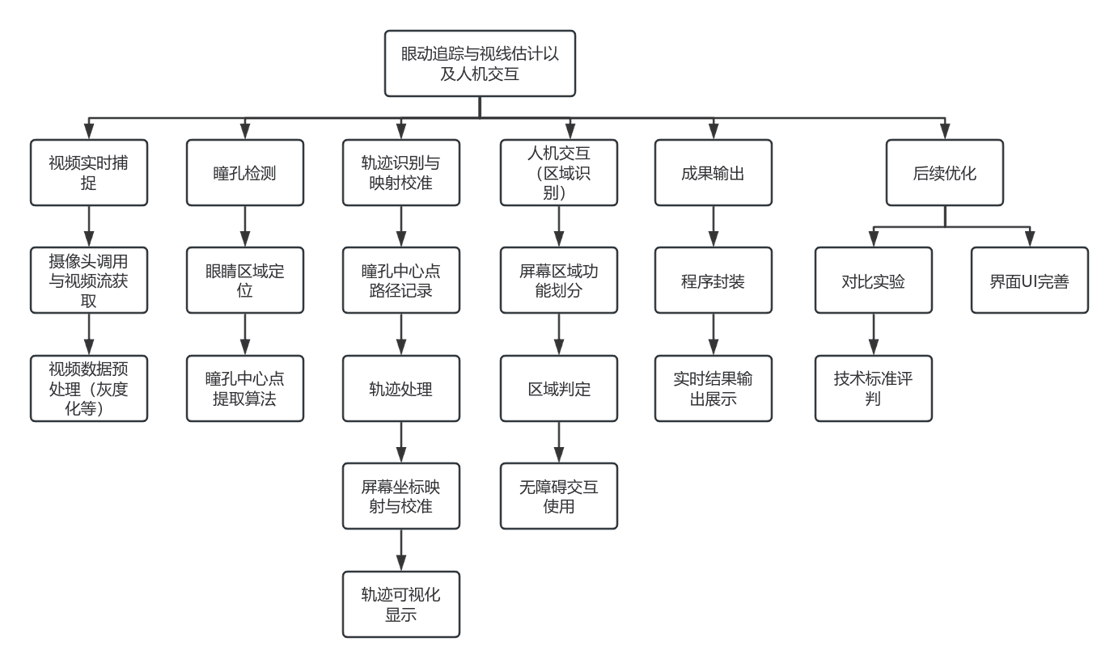 Eye Touch System Architecture Diagram
Communication Flow Design
The main process launches the child process, which initializes MediaPipe. Status is communicated via JSON, and the main process updates the UI accordingly.
Communication Flow Design
Architectural Advantages
Stability: The main UI process remains stable even if the child process crashes due to an algorithm error. It can provide a user-friendly error message and attempt a restart. Performance: Separates UI rendering from computation, preventing blocking. Extensibility: Easy to add new algorithm modules or features.
Algorithm Principles
The core problem in eye tracking is converting the pupil's coordinates from the camera's view into the user's gaze point on the screen. This involves a complex non-linear mapping, complicated by factors like camera angle, lens distortion, and eyeball curvature.
Step 1: Pupil Detection Algorithm
We designed a robust, dual-safeguard detection process:
Step 1: Pupil Detection Algorithm
Key techniques include: Otsu's adaptive thresholding to automatically find the best segmentation threshold for varying light conditions; morphological operations to remove noise from eyelashes and reflections; contour moments to precisely locate the pupil boundary and calculate its geometric center; and a fallback intensity-weighted centroid method to ensure output even in complex conditions.
Step 2: 5×5 Grid Calibration System
We used a machine learning approach to establish the coordinate mapping. A 5×5 grid of 25 points guides the user to gaze at each red dot, where we collect 55 frames of image data to calculate the average pupil coordinates.
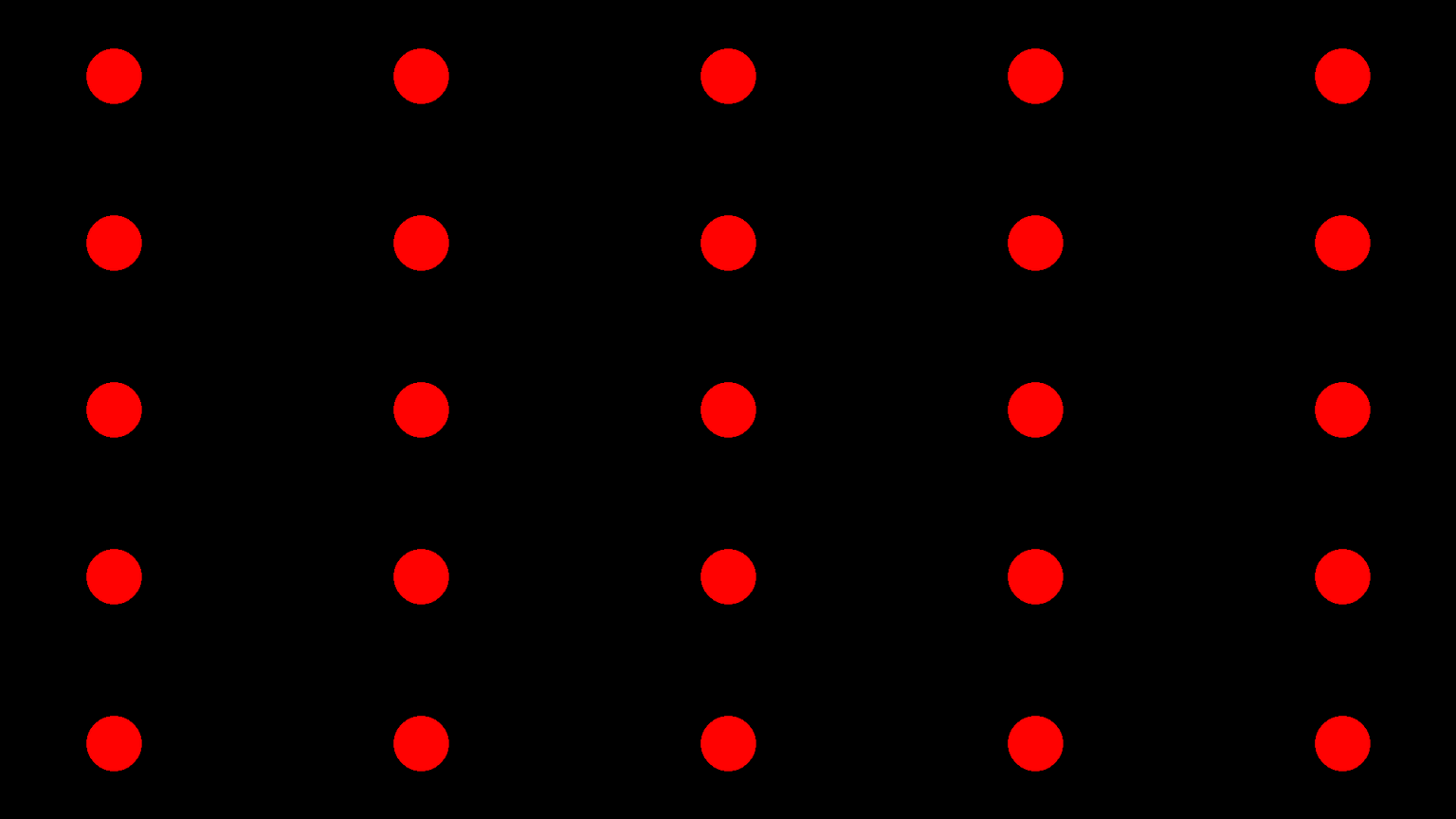 5×5 Grid Calibration System - 25 calibration points
Step 3: Polynomial Regression Modeling
Using the calibration data, we fit this non-linear mapping with a 2nd-degree polynomial regression:
Step 3: Polynomial Regression Modeling
Core features: Normalization of camera coordinates to the 0-1 range for numerical stability; feature expansion from [x, y] to 6 features [1, x, y, x², xy, y²]; independent modeling for x and y coordinates; and model persistence to save calibration data and avoid repetition.
Step 4: Kalman Filter Smoothing
The raw tracking results can be jittery, so we introduced a Kalman filter for smoothing:
Step 4: Kalman Filter Smoothing
Optimization effects: State variables [x, y, vx, vy] include position and velocity; a constant velocity motion model predicts the next frame's position; observation fusion combines predicted and actual values; real-time jitter was reduced from ±50 pixels to ±10 pixels.
Core Features Showcase
Modern Main Interface
I adopted the Fluent Design style to create a modern and clear main interface. Users can intuitively see the camera and algorithm status and launch core functions with one click. The design emphasizes user experience with a welcome window, status monitoring, and helpful tips.
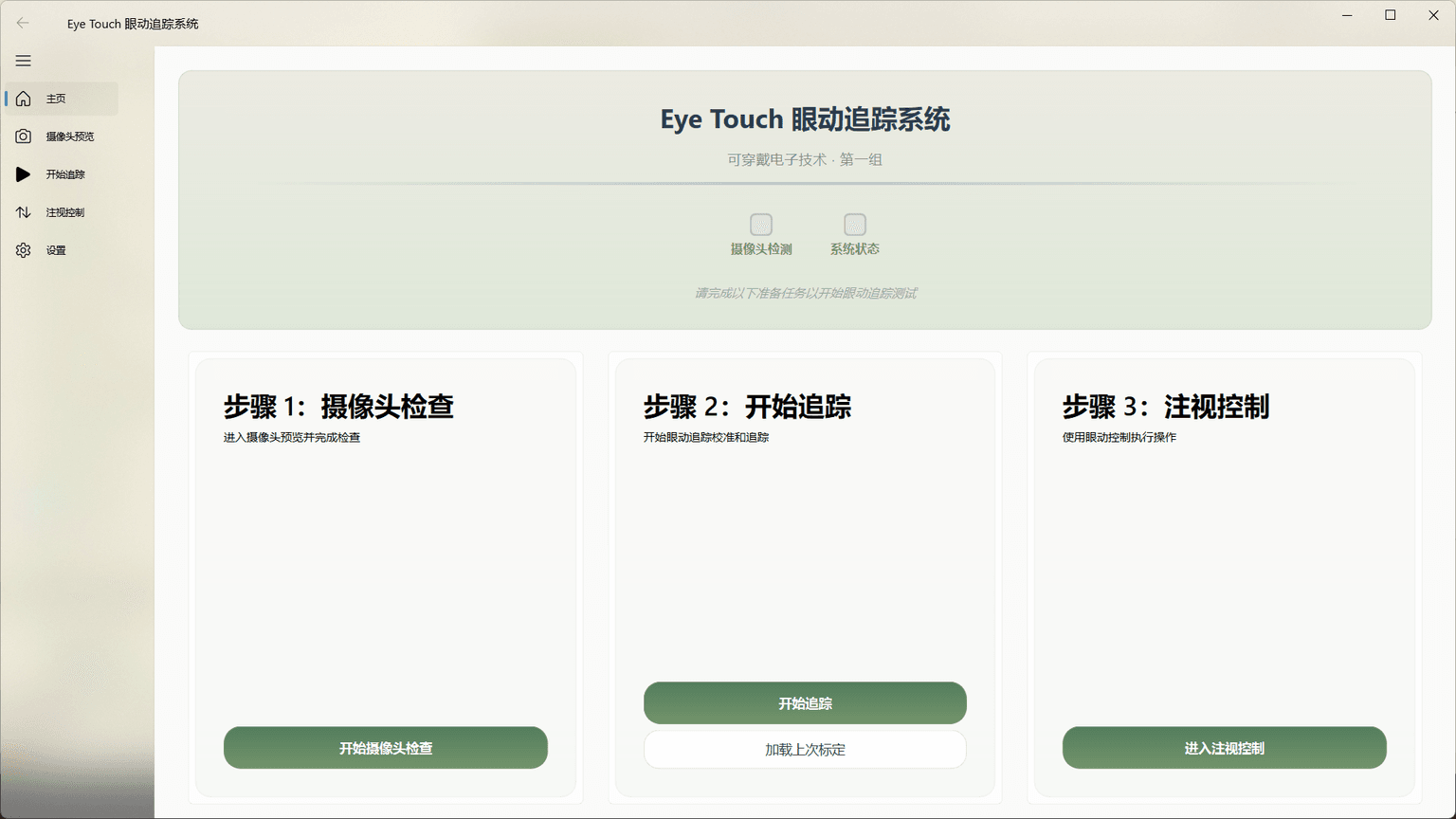 Modern Main Interface Design
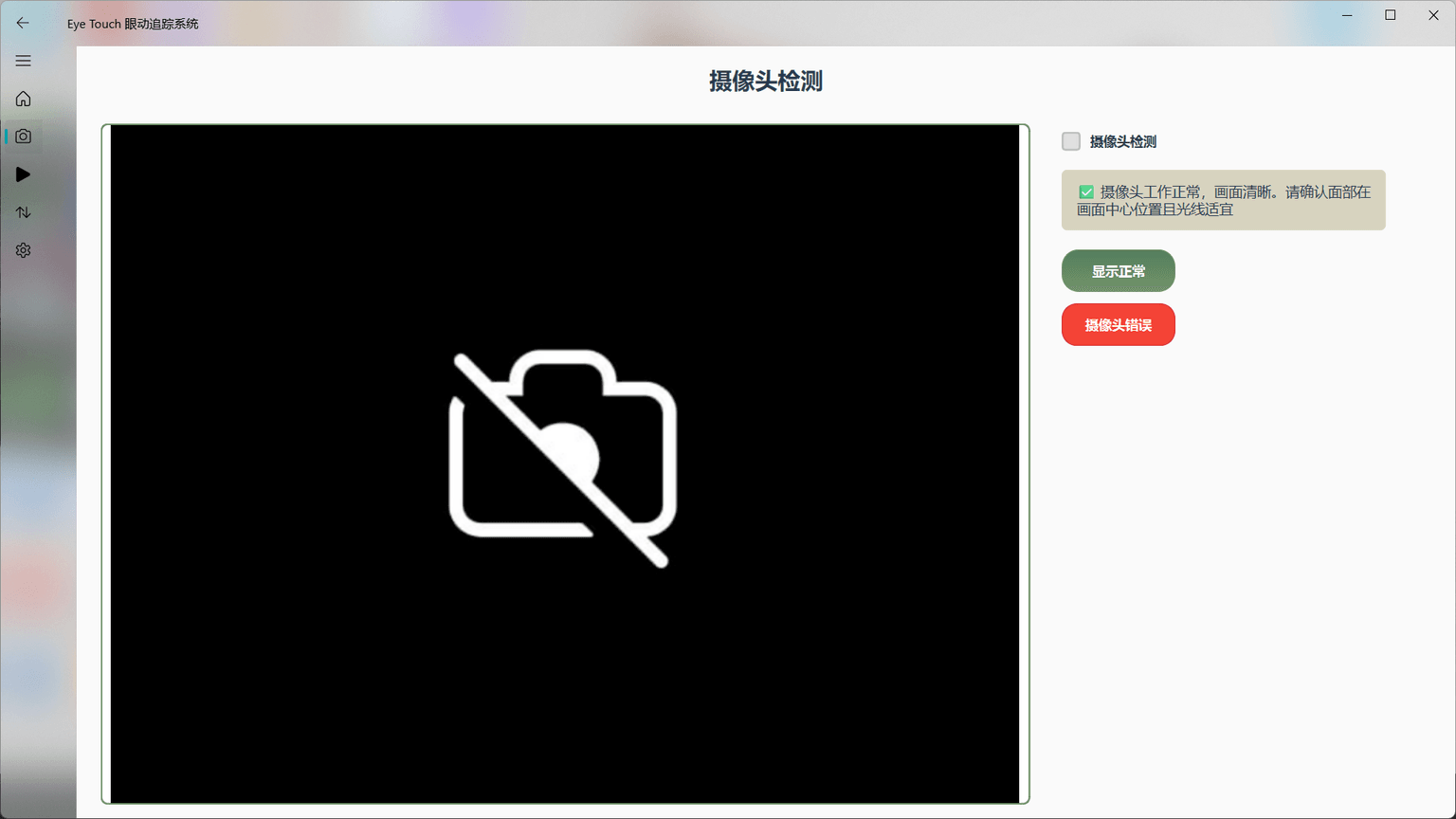 Camera Check and Test Interface
Camera Check System
Before starting eye tracking, the system performs a camera check to ensure it's functioning correctly. This is a prerequisite for all subsequent features, including live preview and pupil detection monitoring. If the camera fails, detailed error messages and suggestions are provided.
Intelligent Calibration System
This is the first and most critical step. Our 5×5 grid calibration system guides users to quickly complete data collection, laying a solid foundation for accurate tracking. Each point collects 55 frames of data for averaging, ensuring stability and accuracy.
5×5 Grid Calibration System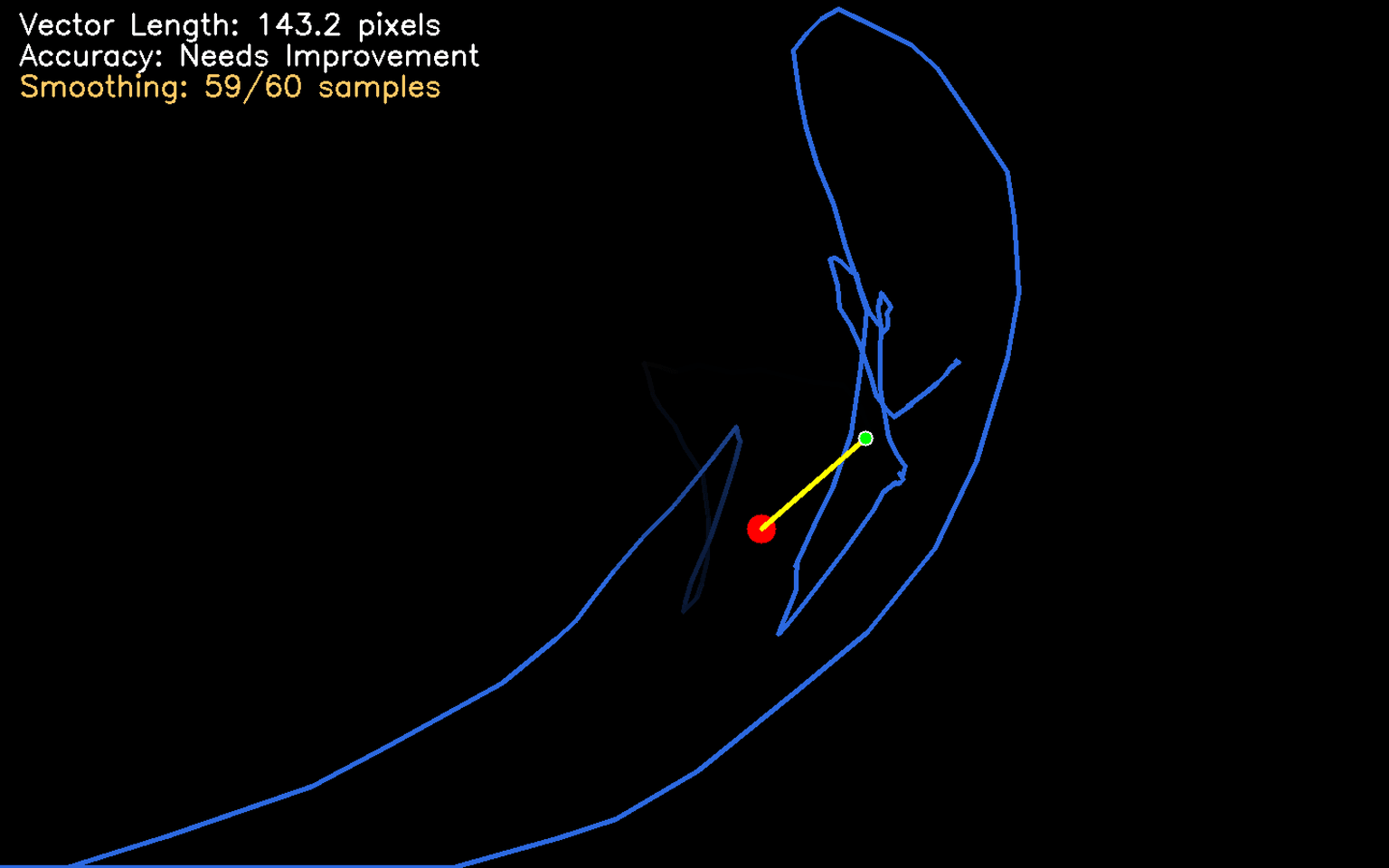 Real-time Eye Trajectory Display
Real-time Trajectory Display
After calibration, the system tracks the user's gaze in real time. I designed a fading trail effect where new points are clear and old ones fade, creating a smooth and uncluttered visual. A Kalman filter is used to smooth the trajectory and eliminate high-frequency jitter.
Gaze Control System
This is key to turning tracking into interaction. We designed a 9-grid layout where users can launch applications by gazing at a tile for 3 seconds, enabling true "eye operation." A progress bar provides feedback to prevent accidental triggers.
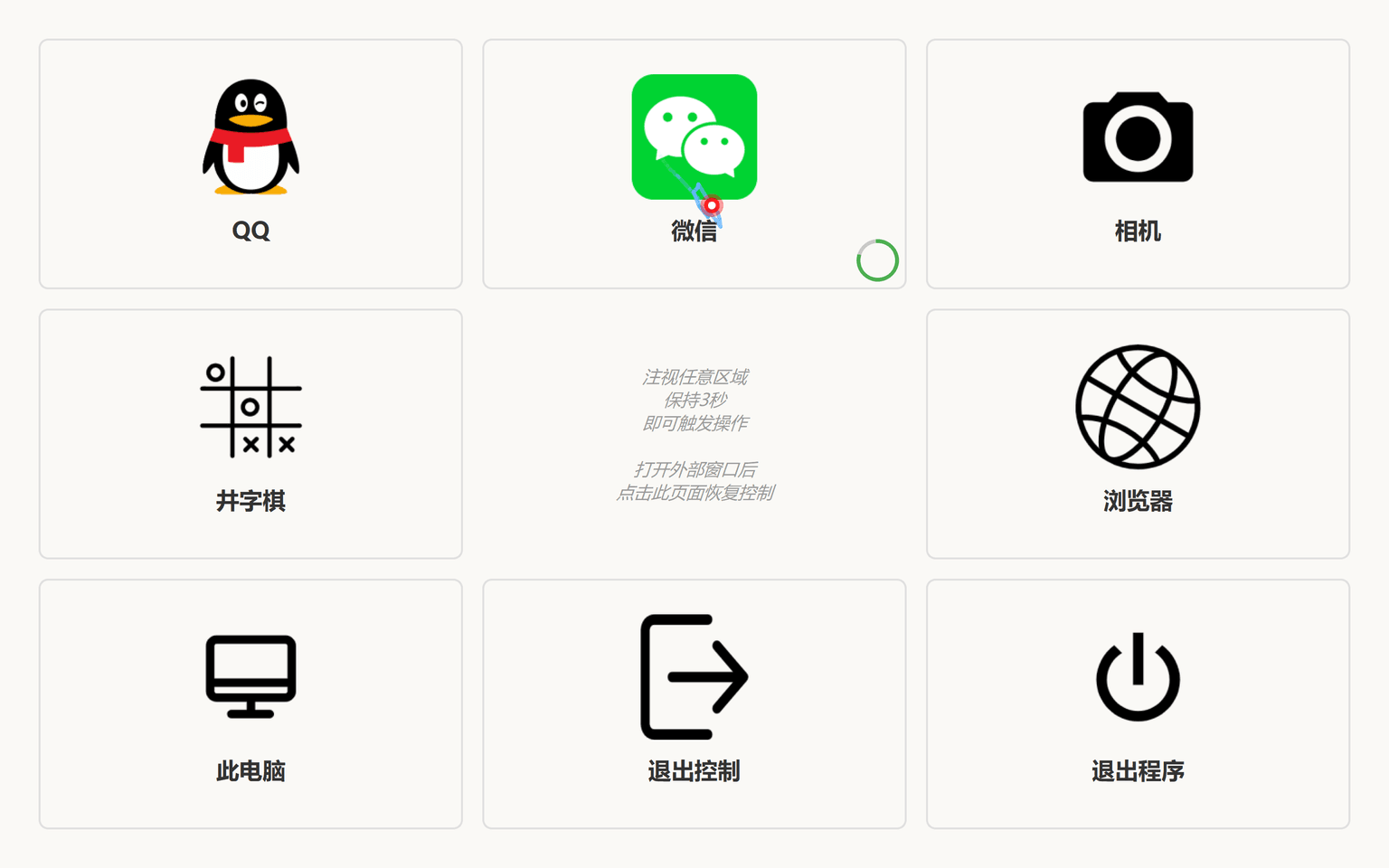 9-Grid Gaze Control System
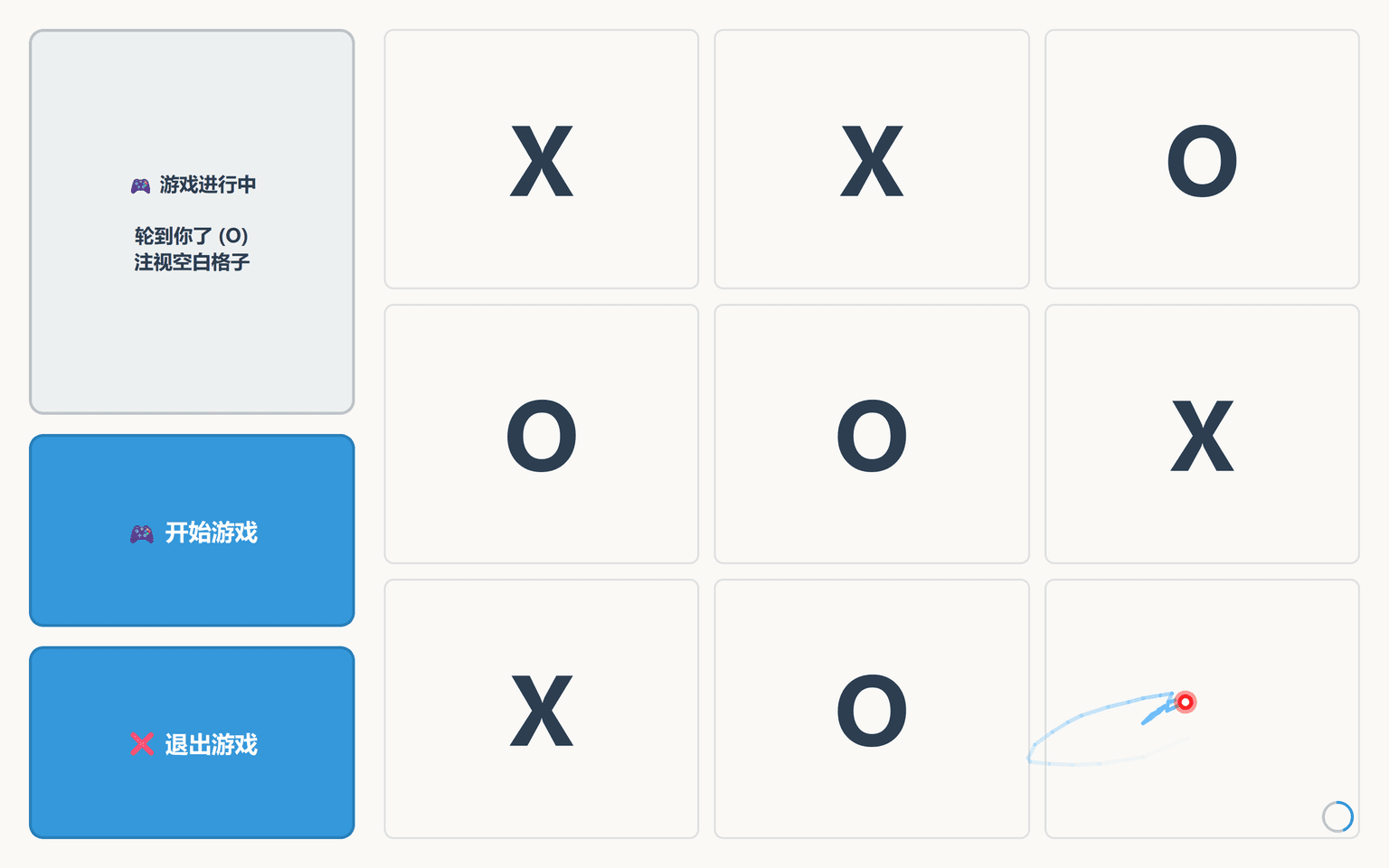 Eye-Controlled Tic-Tac-Toe Game
Eye-Controlled Tic-Tac-Toe
To demonstrate the fun and utility of eye interaction, I developed a Tic-Tac-Toe game. Players make moves by gazing at the board squares to play against a simple AI. It's a great proof-of-concept for accessible entertainment and a foundation for more complex eye-gaze games.
System Settings
Provides comprehensive system configuration, including window modes, interface styles, and application paths. Users can personalize settings to their needs, with support for fullscreen and adaptive modes, offering excellent customizability.
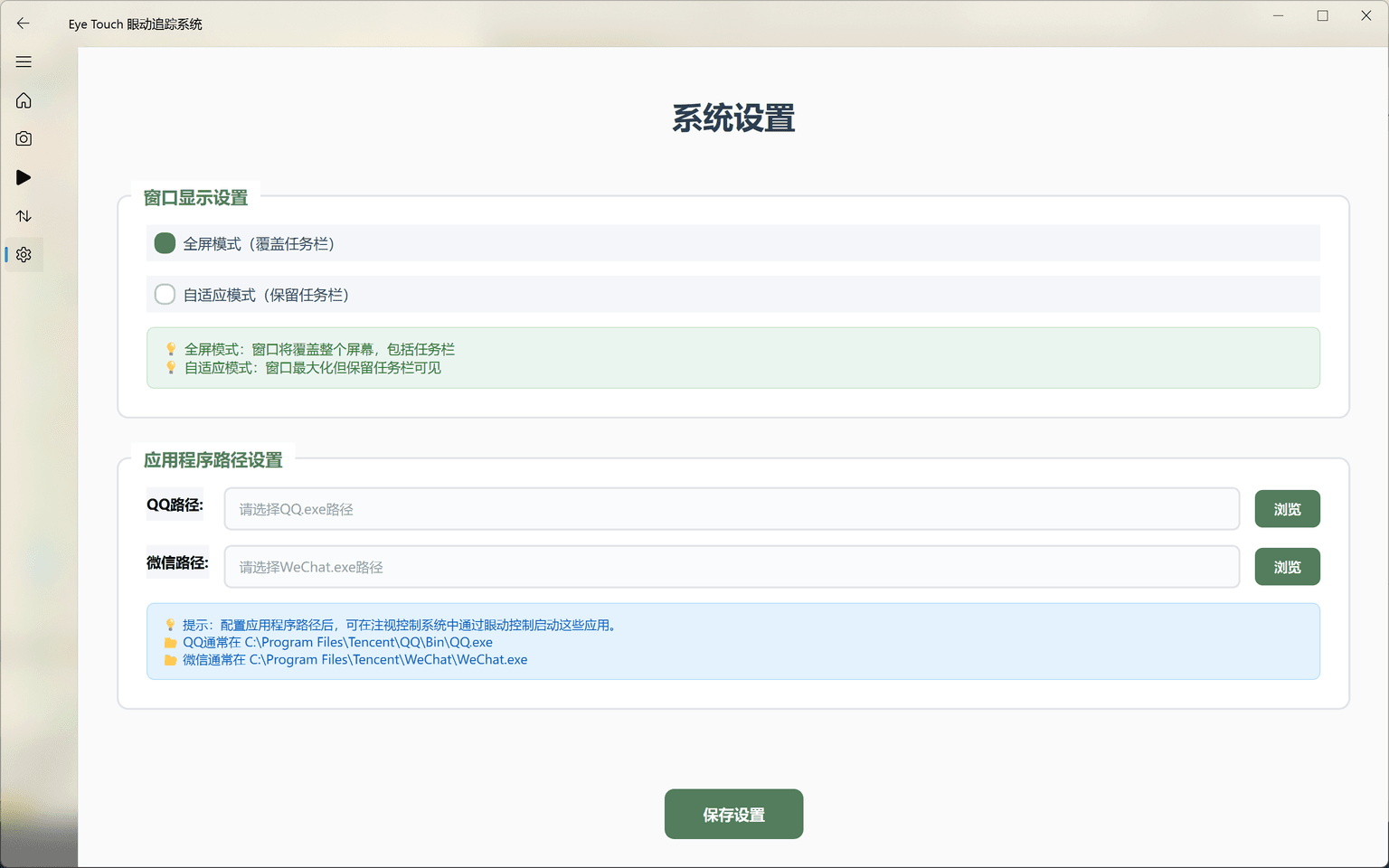 System Settings and Configuration
Quantitative Metrics
We conducted comprehensive performance tests and user experience evaluations to validate the system's technical level and practicality through multi-dimensional metrics.
Technical Indicator Comparison
After multiple rounds of testing and optimization, our system met and, in some aspects, exceeded key technical targets.
Performance Test Metrics
Accuracy Analysis
By testing accuracy with fixed points in different screen areas, we found the following error distribution:
Stability Testing
Long-duration runs and environmental adaptability tests verified the system's stability and reliability:
Problem Solving
During development, we encountered several technical challenges. Through in-depth analysis and creative thinking, we found effective solutions, providing valuable insights for similar projects.
Low Pupil Recognition Accuracy
Problem: Initial algorithms using circle and ellipse fitting were sensitive to reflections and noise, leading to unstable accuracy.
Solution: Switched to an image moment-based centroid method with a dual-safeguard of adaptive thresholding and morphological filtering, significantly improving accuracy.
Highlight: Achieved adaptive adjustment to lighting changes, enhancing system robustness.
DLL Conflict Causing Crashes
Problem: Conflicts between MediaPipe and PyQt6's underlying libraries prevented them from coexisting in the same process, causing frequent crashes.
Solution: I designed a dual-process isolation architecture with JSON communication, solving the problem at its root and ensuring stability.
Highlight: An innovative inter-process communication mechanism that perfectly integrated different tech stacks.
Camera Resource Release Failure
Problem: The Windows OS doesn't support simultaneous camera access by multiple modules, causing resource conflicts and functional switching failures.
Solution: Implemented dynamic resource management that releases and then requests the camera during function switches, with a 10-attempt retry mechanism.
Technical Highlights: An intelligent retry mechanism and resource management strategy that ensured system reliability.
Complete Demonstration
Demo Highlights
System Startup & Main Interface Intro
User-friendly main interface design, functions at a glance.
5×5 Grid Calibration Process
Intelligent calibration system for rapid data collection.
Real-time Eye-Tracking Effect
Ultra-smooth 100 FPS trajectory rendering display.
Gaze Control Operation Demo
9-grid layout enabling gaze-based operations.
Eye-Tracking Game Experience
Tic-Tac-Toe game demonstrates interaction potential.
System Settings & Configuration
Complete personalized configuration options.
Project Summary
Through this project, we successfully demonstrated that a viable eye-tracking system can be built using only a standard laptop camera and software algorithms. From the initial course idea to the final system, we not only solved technical challenges but also explored new possibilities in human-computer interaction.
 Course Grade
Takeaways and Insights
Technical Innovation Breakthrough
Highlights: An independent process architecture to solve DLL conflicts, high-precision calibration, and ultra-smooth 100 FPS rendering, showcasing a complete 'pixel-to-intent' technical chain.
Innovative Value: The dual-process design provides an effective solution for integrating similar conflicting tech stacks.
User Experience Optimization
Design Philosophy: A Fluent Design interface, an intelligent calibration system, and intuitive gaze control operations open new possibilities for accessibility technology.
User Value: Lowers the barrier to entry for eye-tracking, allowing more users to experience its convenience.
Demonstrated Application Value
Application Fields: Accessibility aids, HCI research, gaming, and education, laying the groundwork for low-cost eye-tracking applications.
Social Impact: Provides a new interaction method for individuals with disabilities, advancing accessibility technology.
Thanks to my teammates' efforts, I will be continuing research on real-time eye-tracking technology for my graduation project under the guidance of Professor Chen Wenbin.