Load by entrance
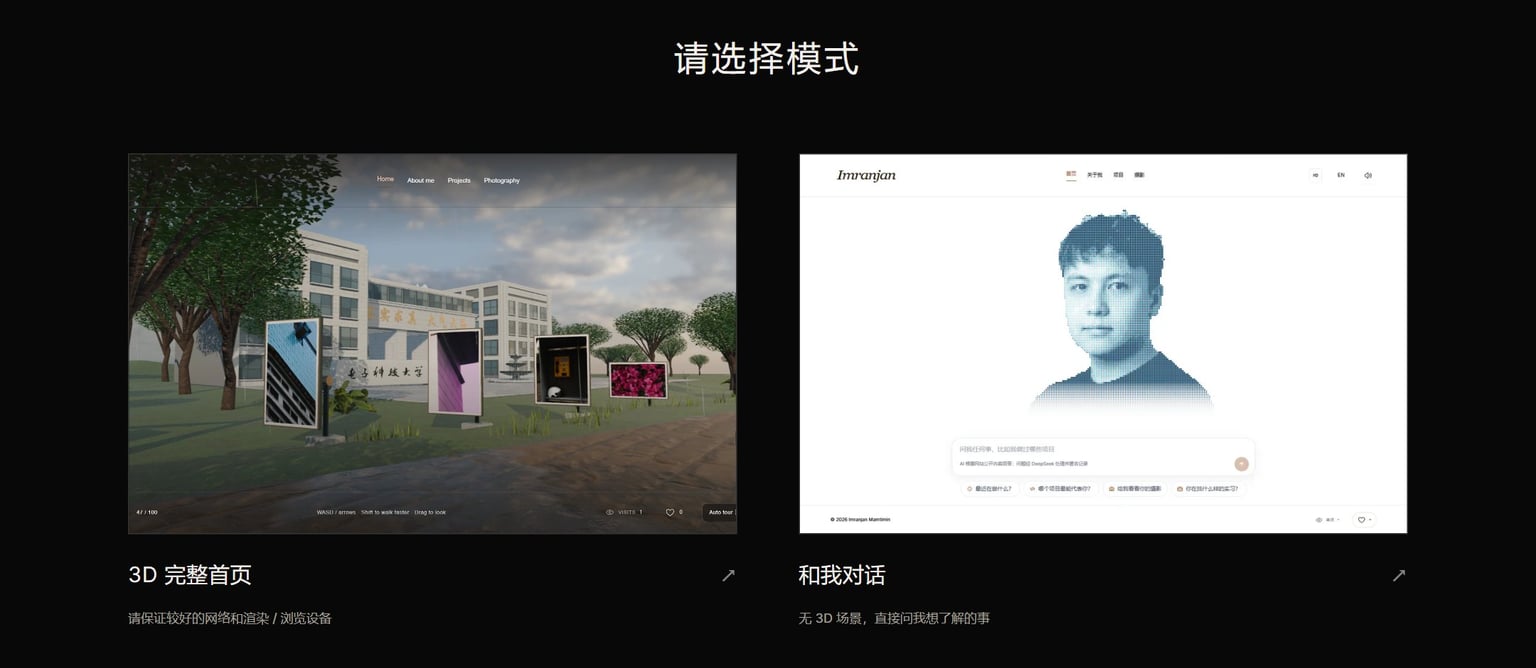
The home page asks visitors to choose first; the 3D and chat homes are loaded on demand, so no 3D code is downloaded before a choice. Phones go straight to the chat home.

I have designed, built and maintained this website since July 2025, to tell the project details a CV has no room for. Visitors can walk through a 3D landscape, or talk to an AI version of me that looks up my public code to answer.
In July 2025, preparing my study-abroad applications, I found that a one-page CV and word-limited essays left one or two lines per project: the tools I used and the award it won. Why I designed it that way, how many times the plan changed, what did not work: none of it fit.
So I built this website. Each project gets a page that explains the background, my part, how it works and how it turned out. It also holds what a CV has no place for, such as my photography and some of my ideas about interaction. The first version went live on 10 August 2025, and I have kept changing it since.
The design, the 3D scene, the front end and back end, the site's AI and the deployment all follow my own ideas, built together with Claude and Codex. The home page now has two ways in: walk into the 3D landscape, or talk straight away to an AI version of me. Phones go directly to the chat.
Content and pages are kept apart: projects, photos, profile and skills live in data files, every text stored as an English and Chinese pair, and pages only lay them out. Adding a project means adding one entry; its route, prerendering and sitemap entry follow.
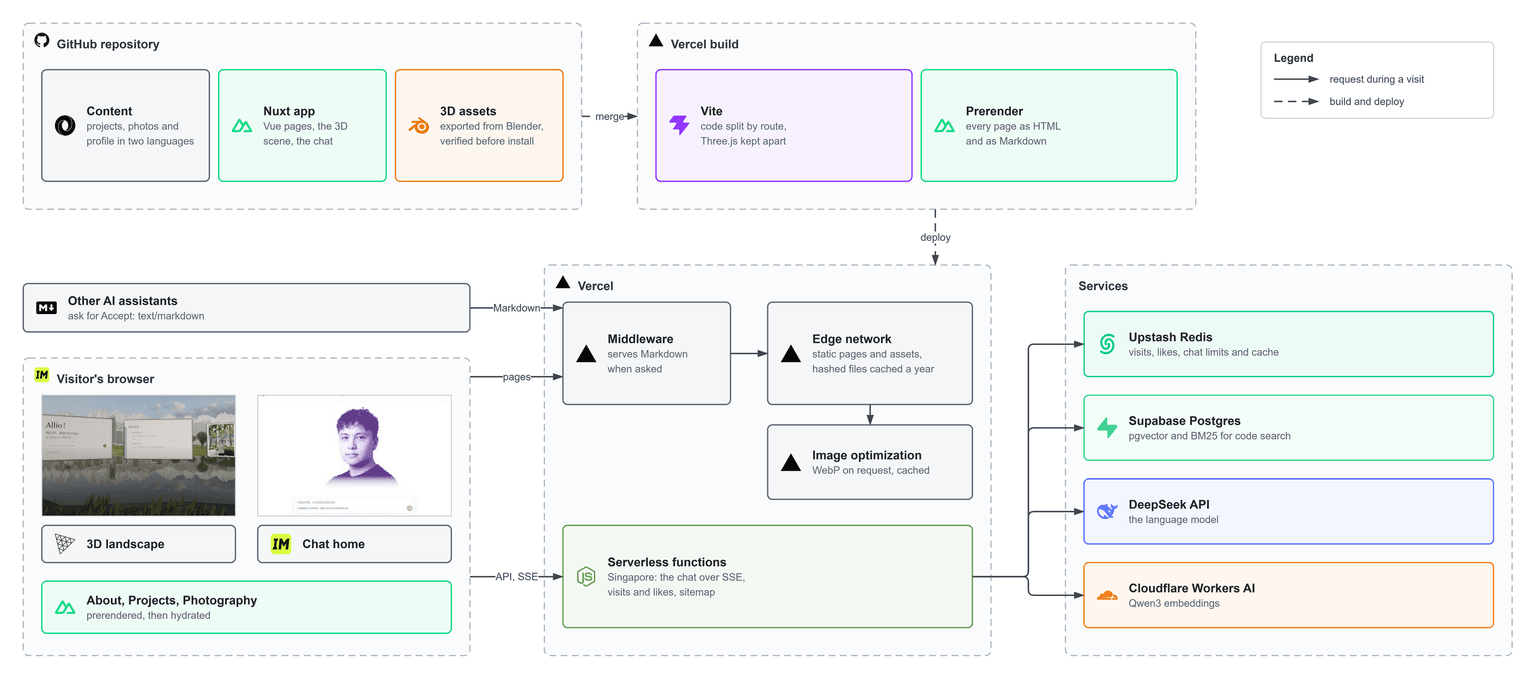
The build runs on Vercel: Vite splits the code by page and bundles Three.js on its own; Nitro prerenders content pages to static HTML and writes a Markdown copy of each.
On a visit, pages and assets come straight from Vercel's edge network, and Vercel's image service converts images to WebP on request and caches them. Only the chat, visit counts and likes call the server functions in Singapore, which in turn reach Redis, Postgres and two AI APIs.
The heaviest parts of the site are the 3D scene and the photos, so loading follows one rule: nothing a visitor did not choose is downloaded, and nothing they did not open is loaded.
The home page asks visitors to choose first; the 3D and chat homes are loaded on demand, so no 3D code is downloaded before a choice. Phones go straight to the chat home.
Images across the site go through @nuxt/image to Vercel's image service, which serves them as WebP on request; photos carry their width and height in the manifest so the layout never jumps; project figures load the original only when opened.
3D asset names carry a content hash and can be cached for a year; the asset manifest is revalidated every time, so a new scene never arrives as a mix of old and new files.
Only the layout for the current screen width is mounted. The horizontal gallery follows the scroll, computes frames only while moving and stops in a hidden tab.
English is the default and Chinese lives under /zh, with every text kept as a pair. Each page's title, description, canonical URL, share image and structured data come from one configuration, and hreflang tells search engines where the other language is. The 3D home page carries a readable heading and navigation in its server-rendered HTML, so search engines can read it without WebGL.
More and more people let their own AI assistant read web pages, so every page also gets a Markdown version at build time with the same content: a request with Accept: text/markdown gets it at the same address, and the MD button in the header opens it by hand. The site's own AI reads this same Markdown.
curl -H "Accept: text/markdown" https://www.imranjan.cn/projects/p-portfolioI had long wanted to turn the pictures in my head into a 3D landscape you can walk into. The moment I saw the GPT-6 Astra launch film in September 2026, I started: in Codex, with Blender's official MCP server and computer use, I built the whole scene from my own ideas, then refined the architectural details, the weather and the performance work with Fable 5.1.
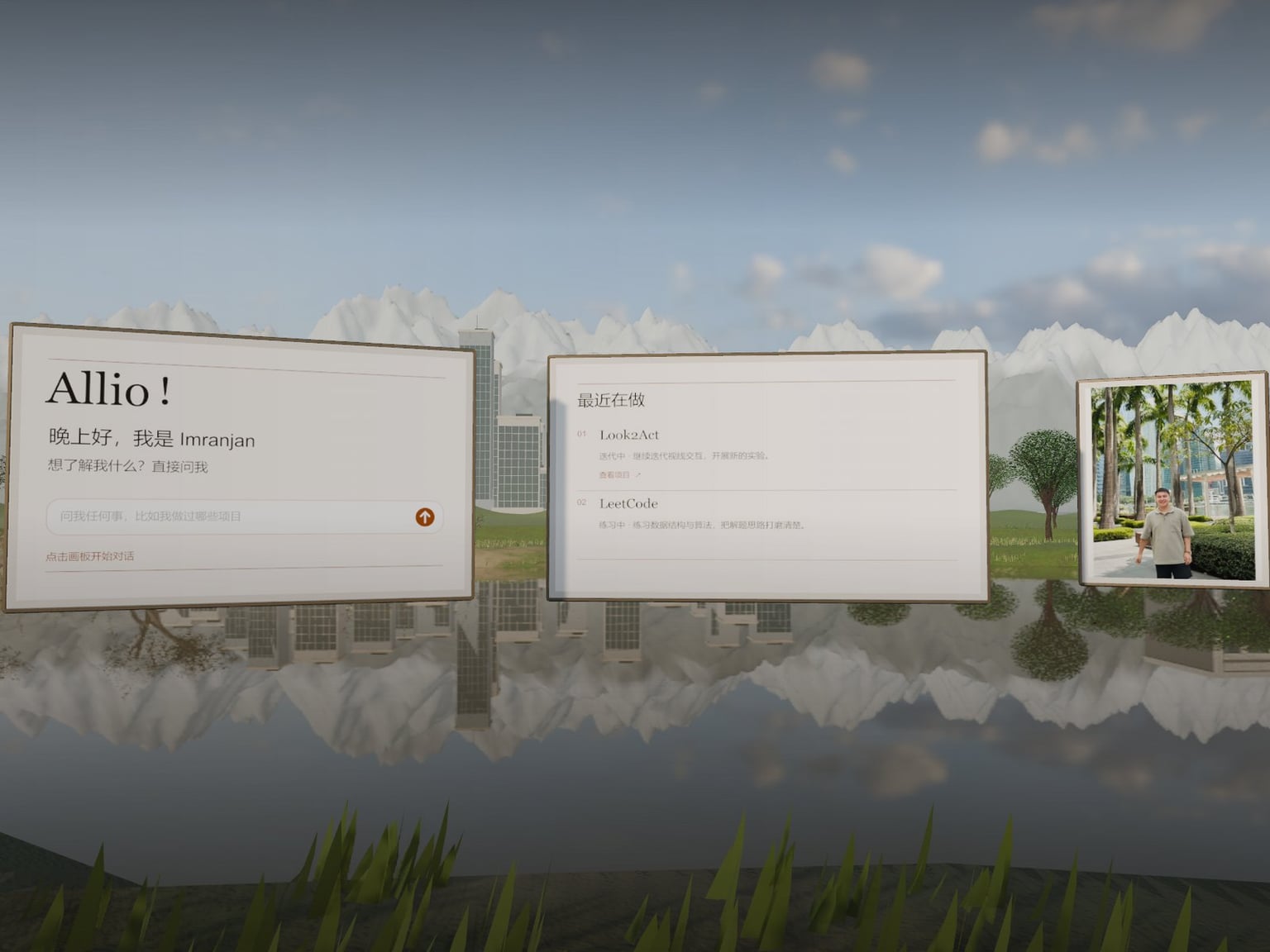
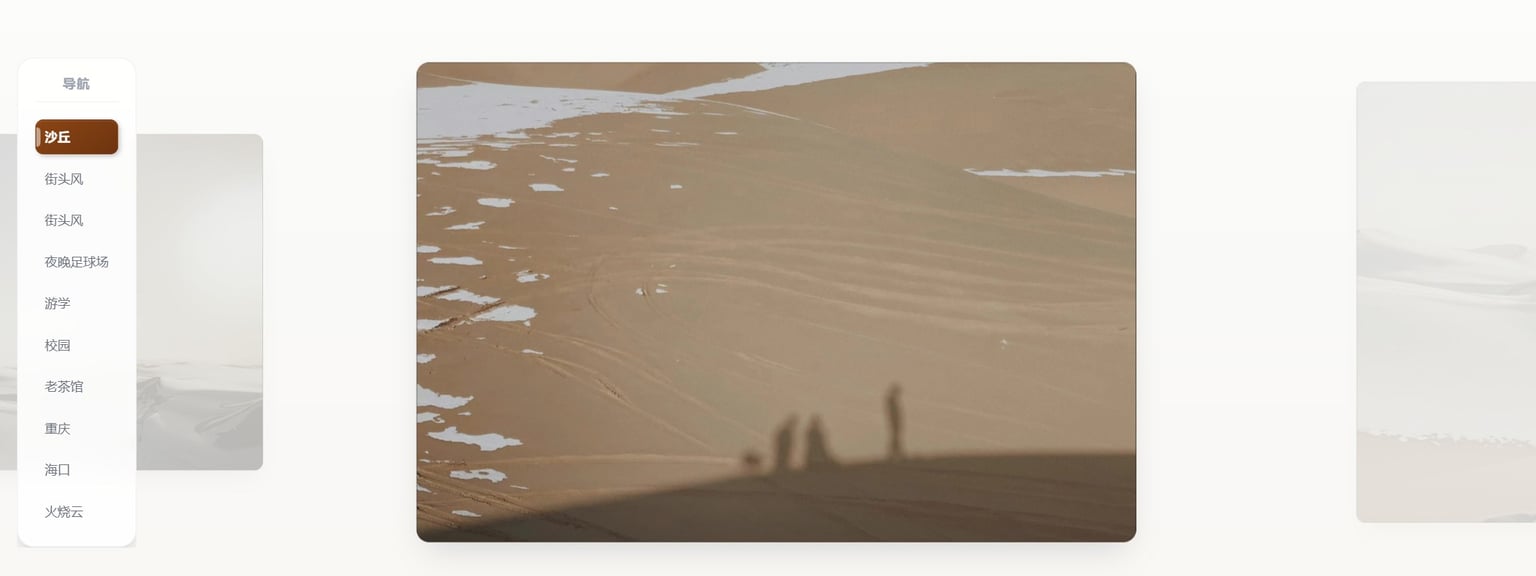
With the 3D entrance, the home page is one continuous landscape. Four places are joined by a single road: a desert with blowing sand, a snowy city, a campus in light rain and a sunny city by the sea. Scroll to follow the tour, or switch to free exploration and walk with WASD and the arrow keys while dragging to look around. My photos stand along the road; click any of them and the camera glides to face it.
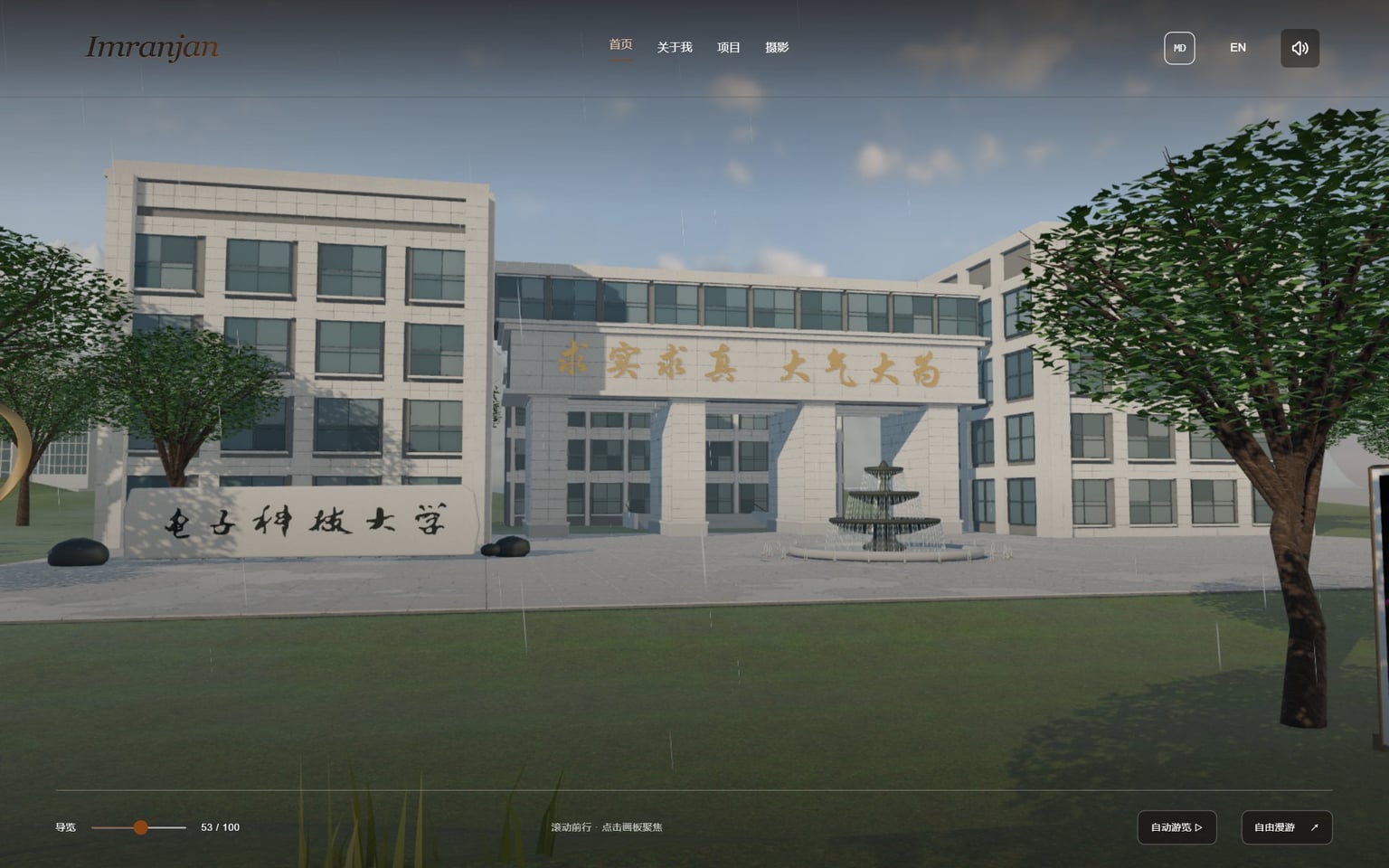
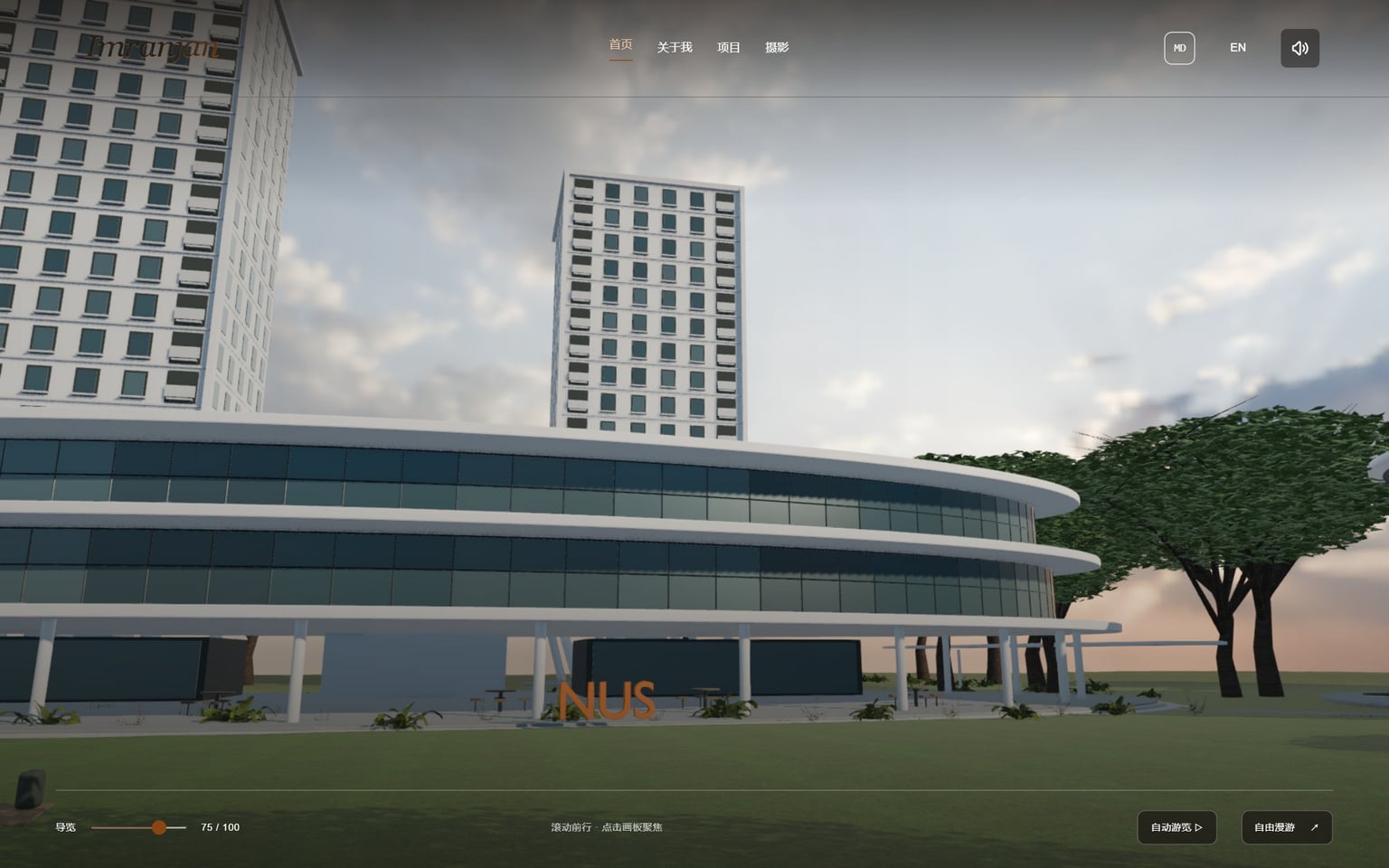
Two campuses are modelled from photographs: the Pinxue Hall courtyard at UESTC, with the lettering on the name stone traced from a photo, and NUS University Town as a compressed composition. The mountains are resampled and scaled from SRTM elevation data, and some trees, rocks and materials are CC0 assets from Poly Haven.
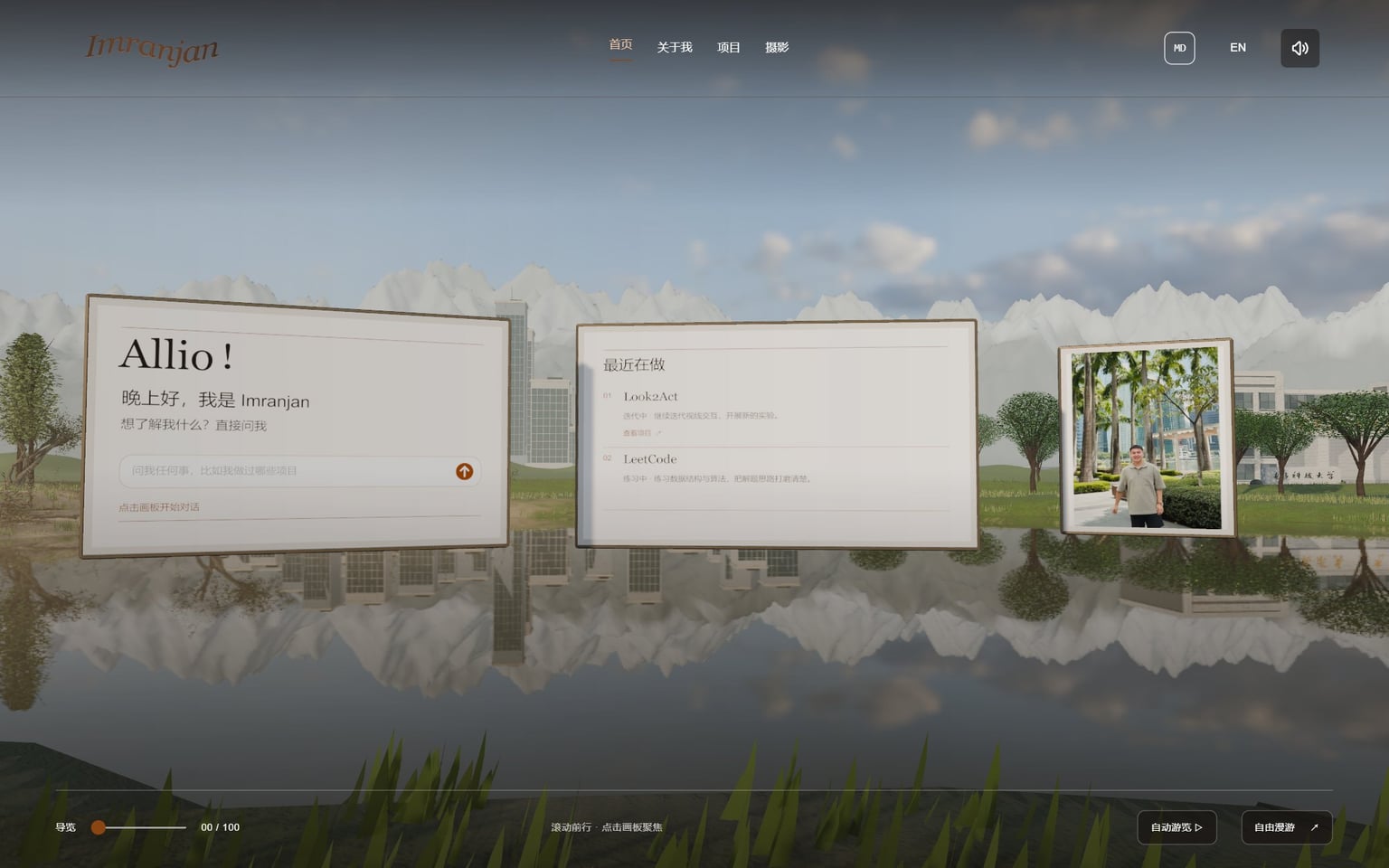
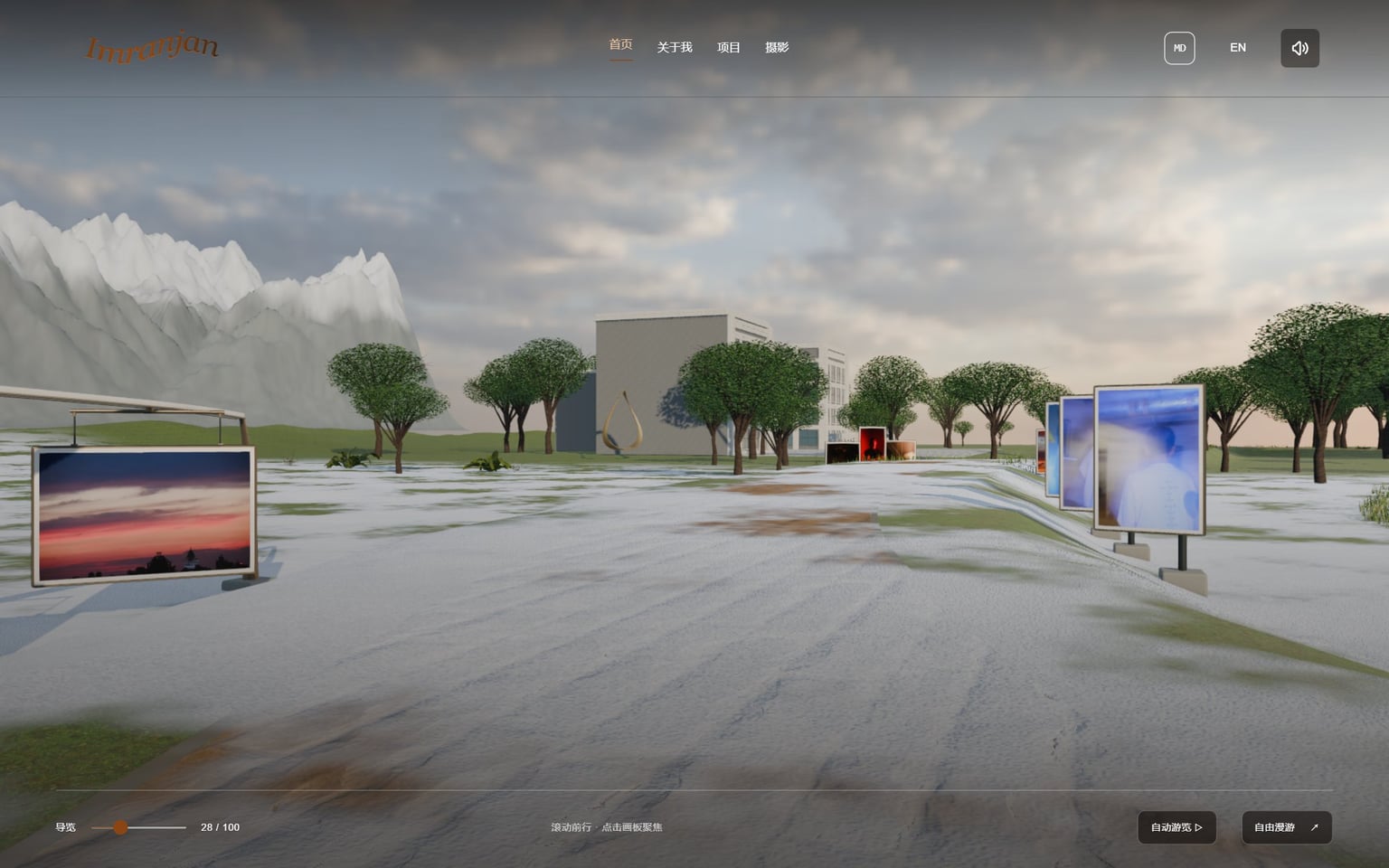
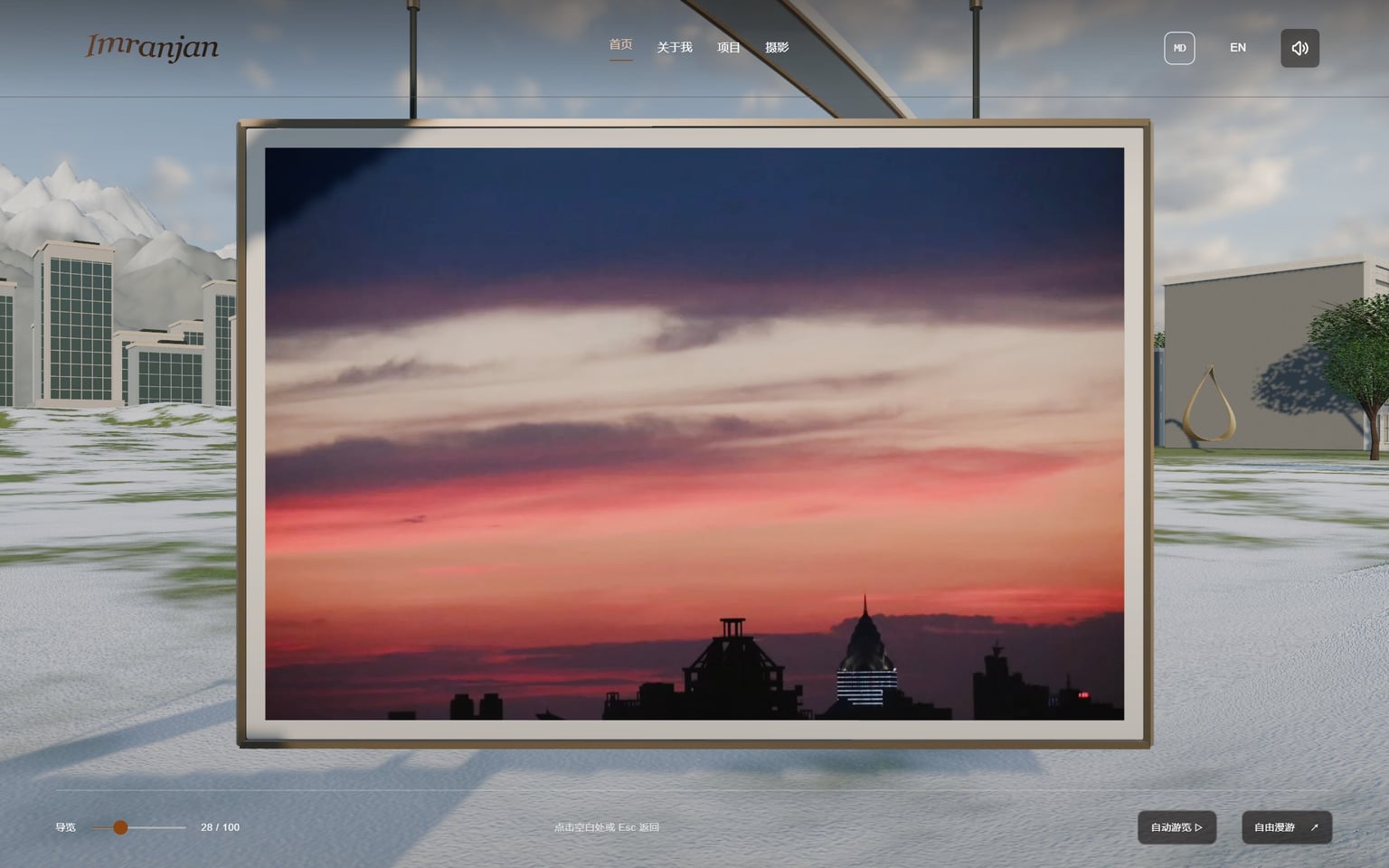
After a change to the scene, one command exports, compresses, splits by region, verifies and installs it; if any step fails, the live site keeps the old version. The browser decides which regions' details to load from the camera position and spreads texture uploads and warm-up over several frames, so walking never stalls.
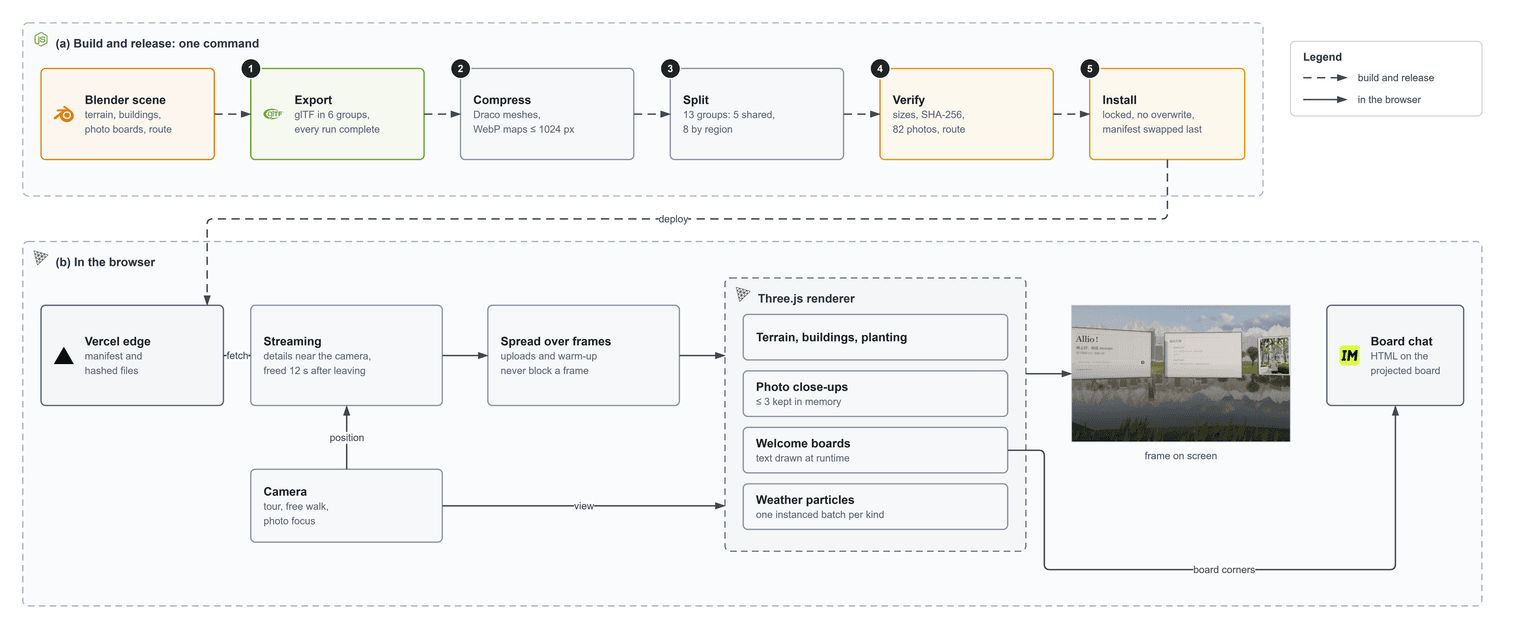
Each place has its own weather: random sandstorms, snow and light rain, while the city by the sea stays sunny. Each kind of weather is one instanced batch of particles animated on the GPU and released after you leave; sand and rain have ambient sound, and the background music lowers itself in the scene.
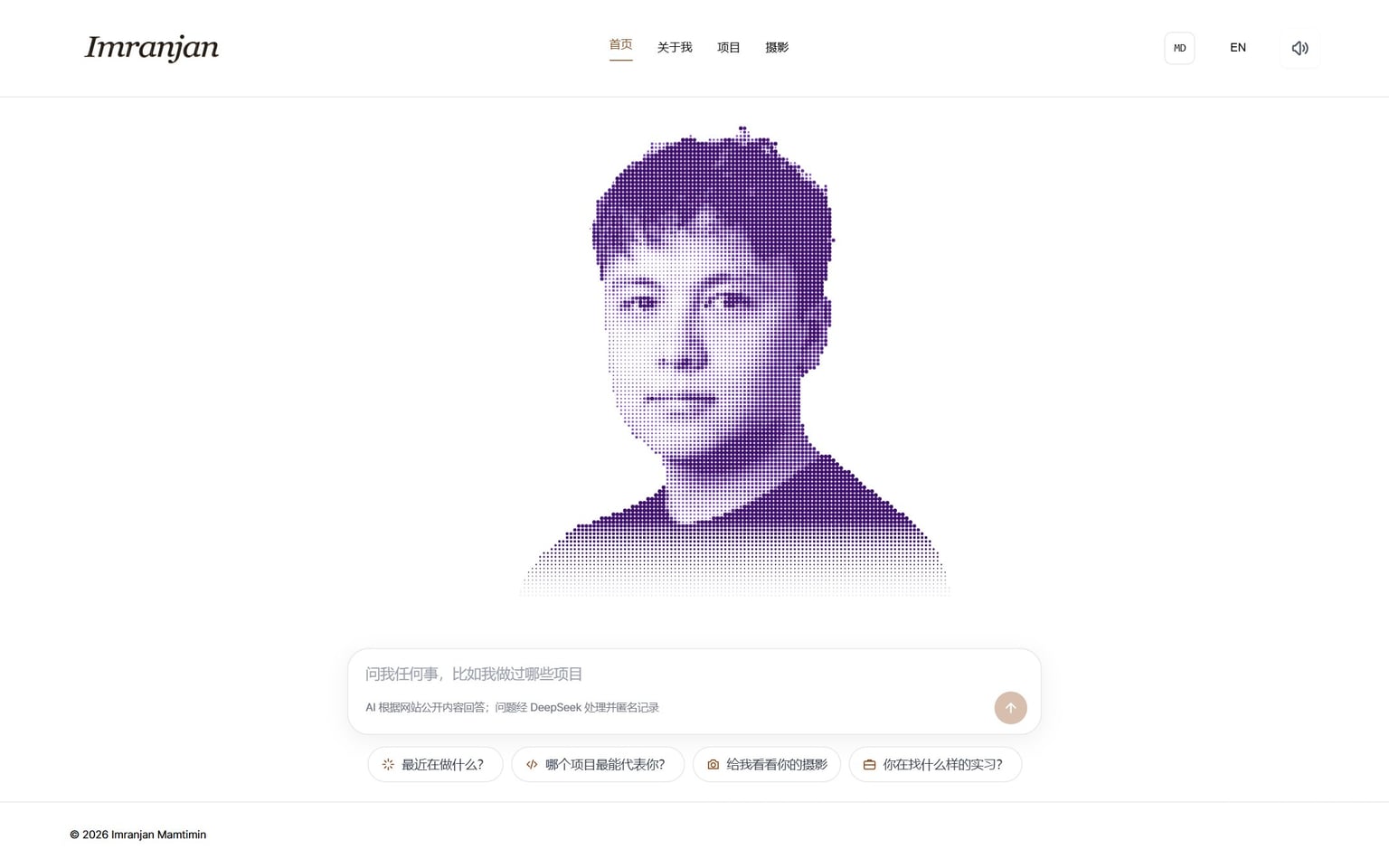
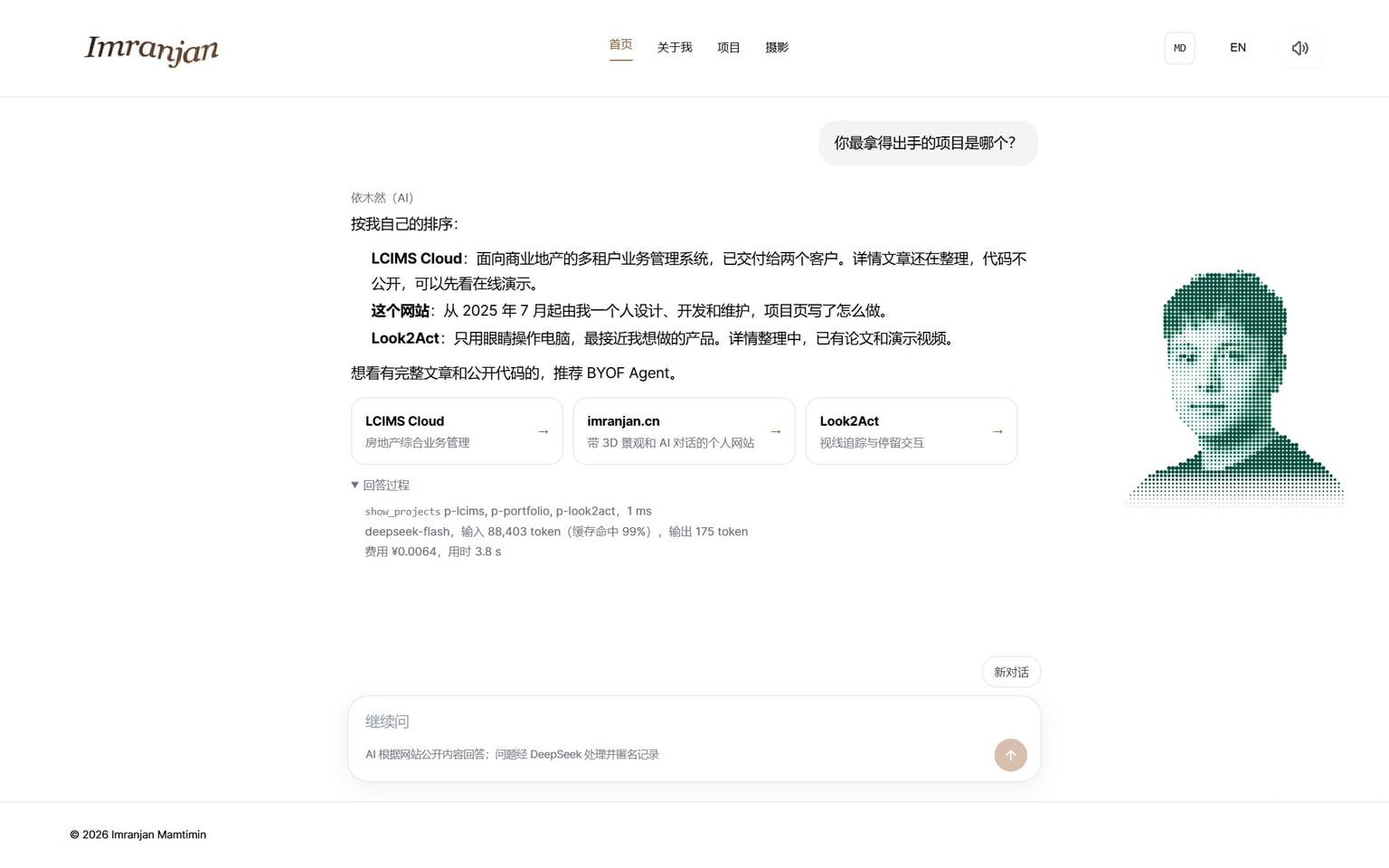
The 2D home page is a chat: a particle portrait you can push around with the mouse, with an input box and suggested questions below. Visitors can ask about my experience and projects, how the code of a project works, or just chat about anything, as they normally would. It answers in the first person, always marked as AI, and never commits to anything on my behalf.
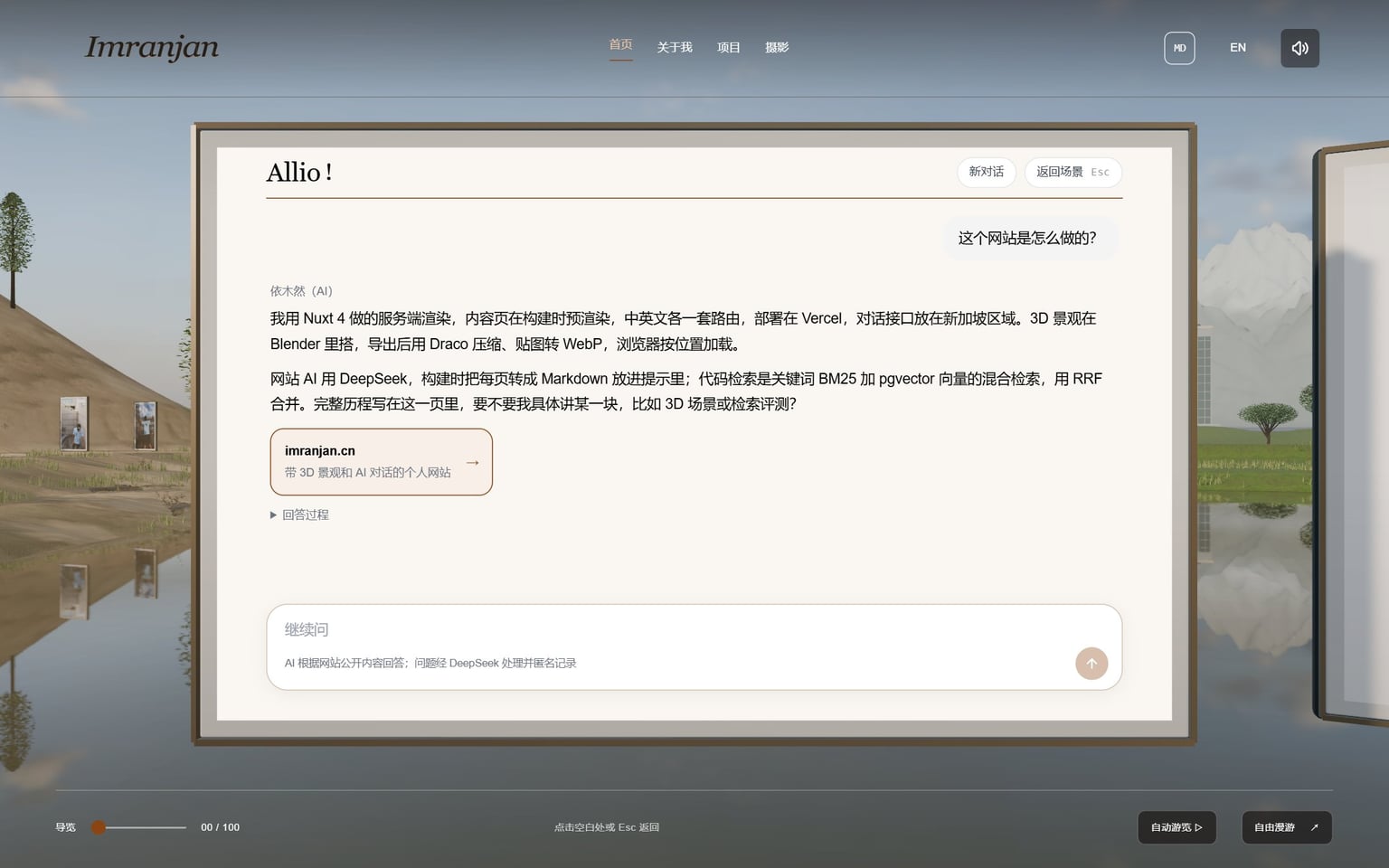
The “Allio!” board on the left of the 3D starting point is the same entrance: once the camera settles, the board's four corners are projected to the screen and the chat is placed on top. 2D and 3D share one conversation.
Suggested questions are answered from a cache. Anything else passes the rate limit and the question check, then goes to the model, which may call tools for up to 4 rounds; a final check runs before the answer streams to the browser. The site's text sits whole in the prompt, where the prefix cache applies; code is found through hybrid search.
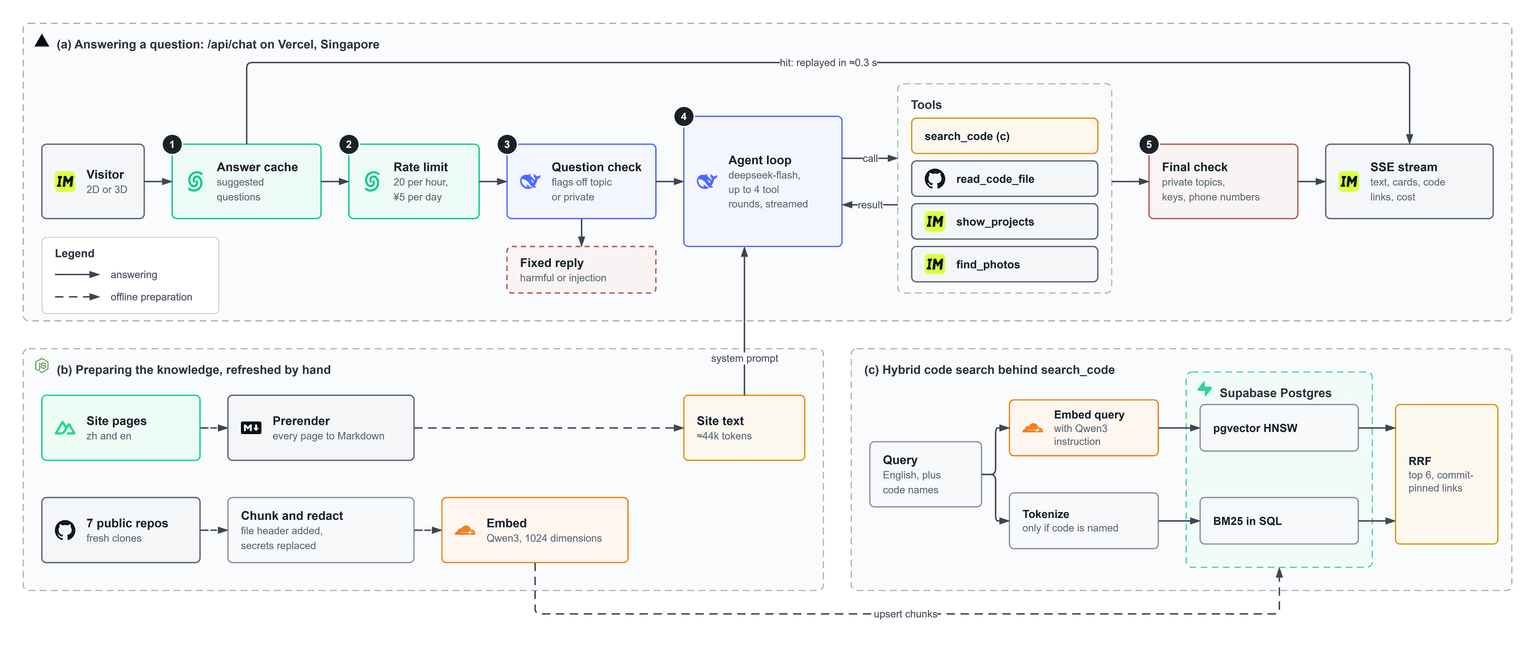
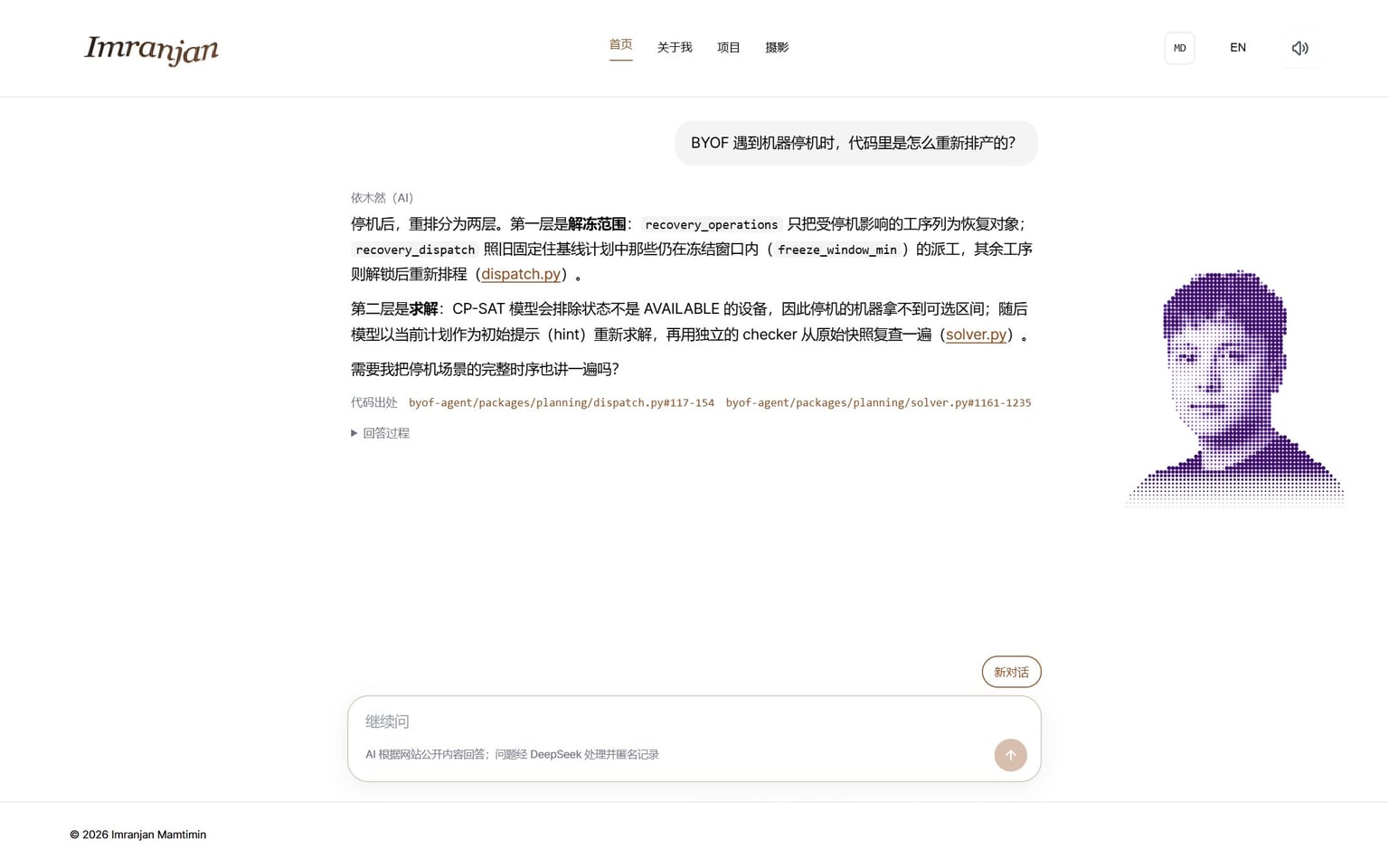
I wrote 32 questions, half in Chinese and half in English, each labelled with the file that answers it. Mixing both searches with equal weight was worse than vectors alone, because keywords push up files like READMEs that mention a bit of everything, so keywords are added only when the question names code. Adding the task instruction Qwen3 expects before each query raised the top-five hit rate of vectors alone from 84% to 97%, and starting every code chunk with its project name and a short description of its file raised the top-one hit rate from 63% to 69%.
| Method | Top-5 hit | Top-1 hit | MRR |
|---|---|---|---|
| Keywords only | 56% | 41% | 0.47 |
| Vectors only | 97% | 69% | 0.80 |
| Equal-weight mix | 88% | 53% | 0.68 |
| Mix when code is named (used) | 97% | 63% | 0.76 |
The model reads the top six chunks when it answers, so top-five hits matter most. On the 11 questions that name a function or a file, the adopted mix finds every answer in the top five, against 91% for vectors alone, so keywords stay. MRR averages one over the rank of the first correct file; closer to 1 is better.
Photo search uses the same embedding model: on 18 questions with matching photos, the top-one hit rate rose from 72% with keyword matching to 89%, and the share of returned photos that were right rose from 45% to 89%.
Anything touching personal privacy is filtered out of the answers; only public repositories are searched, and anything that looks like a key is replaced before indexing. Whenever I change the rules or the model, I rerun a set of fact, code and attack questions.
What happenedEnglish pages live at / and Chinese ones under /zh. If every visit to / followed the remembered language, a visitor clicking back to English would land on / and be sent straight back to Chinese.
What I changedThe remembered language now applies only on entering the site; every explicit link or language switch after that updates the remembered choice.
What happenedEnlarged project images sit in dialogs, and browsers download the images inside a dialog even while it is closed; the BYOF page fetched 8 originals, 2.55 MB, on arrival.
What I changedThe original is mounted only the first time its dialog opens; previews in the article are still lazy-loaded.
What happenedReturning to the start rebuilt the text textures of the three welcome boards. Reading back their large GPU canvas synchronised with the live scene and froze the picture for a moment.
What I changedThe boards are now drawn on the CPU; a snapshot image is made first and uploaded as a texture in a frame of its own.
What happenedThe count waited for the browser to be idle, and the particle animation kept the main thread busy, so the idle callback never fired.
What I changedIt now fetches shortly after the page mounts, with a timeout and a fallback request.