
China Collegiate Computer Competition—Mobile Application Innovation Contest
Yigui: A Personalized Apparel Design and Virtual Try-On Application
Project Resources
Due to the large number and complex structure of the code files, the complete source code has been uploaded to GitHub. The frontend contains Swift code and the CoreML model, while the backend includes Blender scripts, API interfaces, database design, and more.
Team Information
Advisor
Professor Yuanwang Yang(School of Electronic Science and Engineering, UESTC)
Team Members
- Me Team Leader - Product Design, UI/UX, iOS Development, AI Algorithm, Backend System, 3D Modeling
- Canyu Wu(Glasgow College, UESTC) - Product Conception, Promotional Poster Design
- Ducheng(Glasgow College, UESTC) - Product Conception, Project Documentation
Project Background and Innovation
Yigui is an iOS application designed to make the professional apparel design process accessible and personalized for everyone. It establishes a complete pipeline from "real body measurements → intelligent 3D modeling → personalized clothing design → virtual try-on," allowing every user to become the exclusive designer for their own "virtual avatar" based on their unique body. The project aims to address pain points in an era of diverse aesthetics, such as the difficulty for ordinary consumers to participate in clothing creation, ill-fitting ready-to-wear sizes, and poor online try-on experiences.
Privacy-First CoreML Inference
On-device body proportion prediction. Data never leaves the device and supports offline use.
Iterative Convergence Algorithm
A 3-round calculation loop resolves circular dependencies in body proportions for precise modeling.
Virtual Assembly Technology
Atomic component processing + smart recombination for efficient virtual try-ons.
Microservices Architecture
Three independent FastAPI services for users, models, and designs deployed separately.
User Need Insights
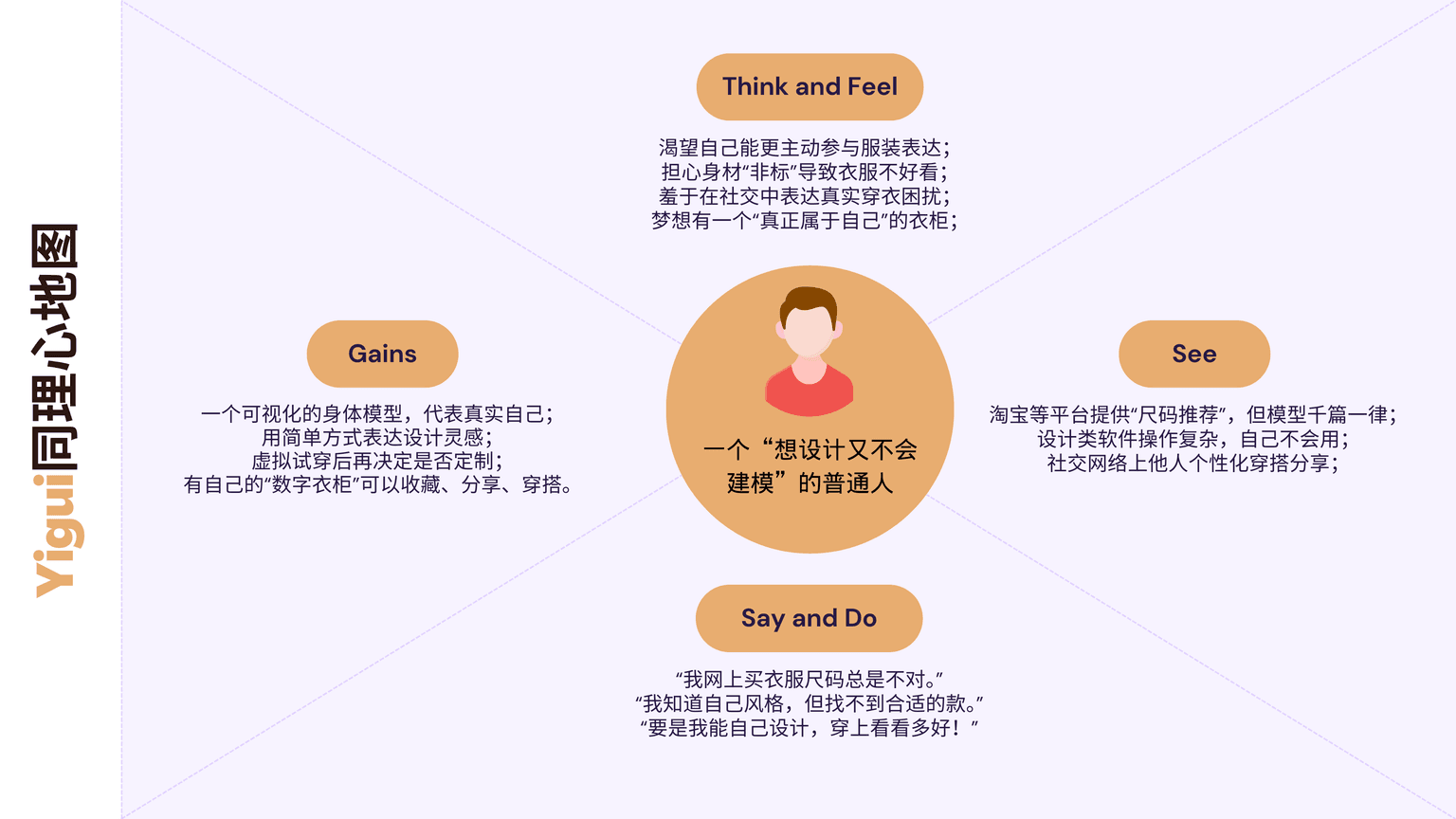 Empathy Map Analysis
Competitive Analysis Positioning
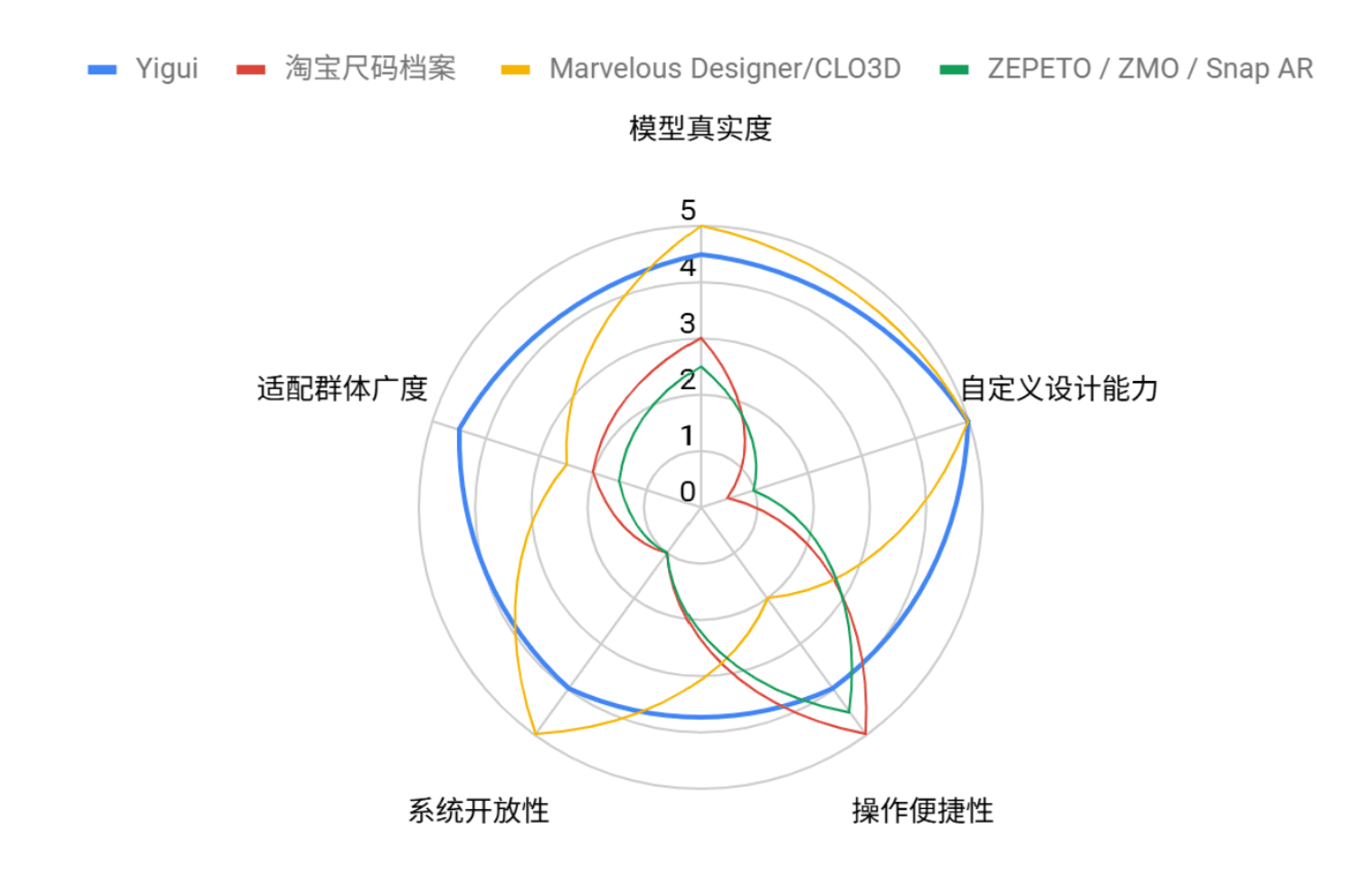 Competitor Radar Chart
UI Design and User Experience
Yigui's interface design focuses on a smooth user experience and intuitive functionality. Using a modern design language combined with iOS design guidelines, it offers users a clean and elegant virtual try-on experience. From the initial prototype to the final implementation, every UI element has been meticulously designed and optimized through user testing.
Figma Prototype and Flow Design
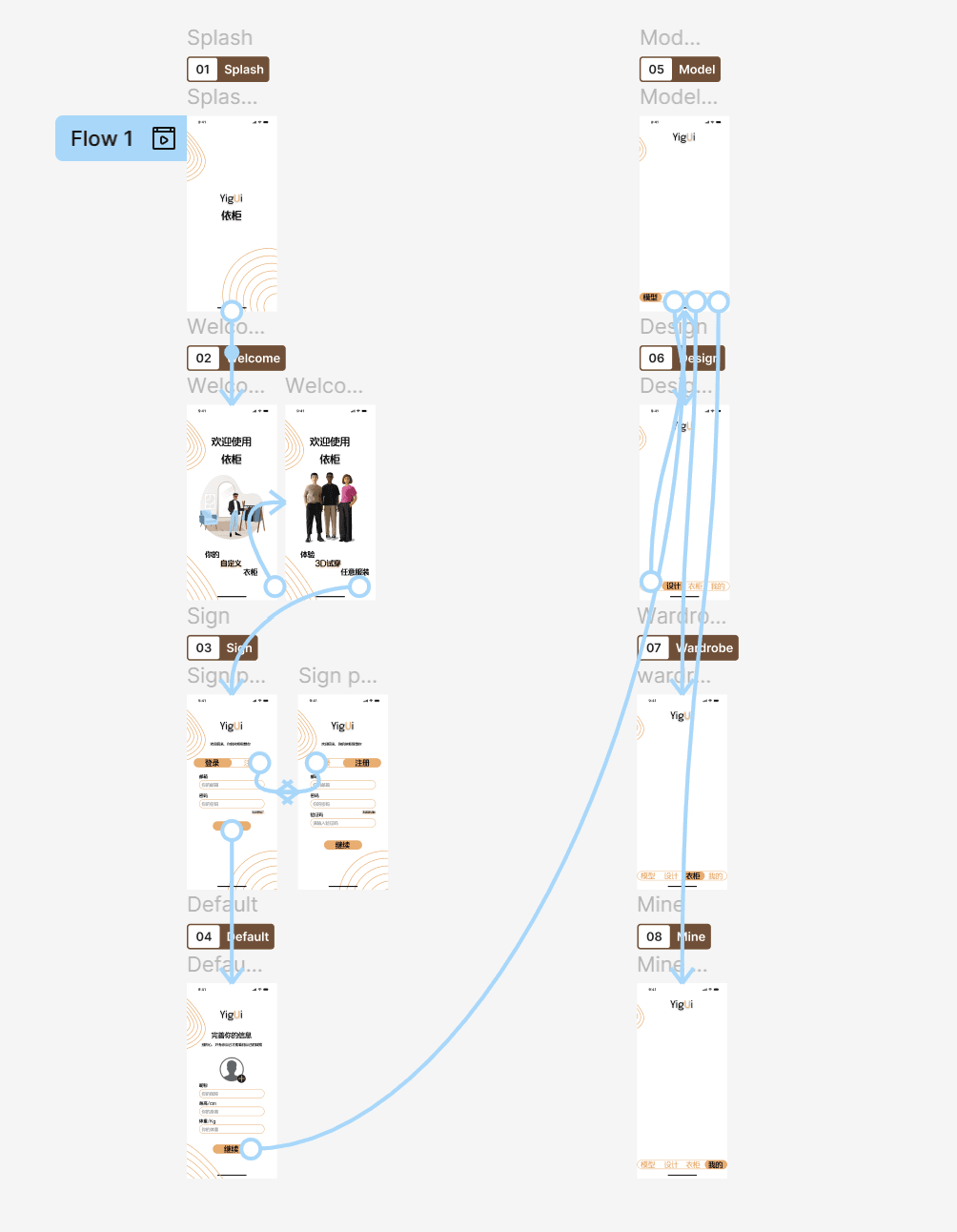 Initial Figma Prototype - Complete user interface design and interaction flow
Navigation Design
Tab navigation + step-by-step flow for a clear information architecture.
State Management
Progress indicators, button states, and automatic draft saving.
Component Reusability
Unified design for color palettes, pattern libraries, and parameter panels.
App Interface Showcase
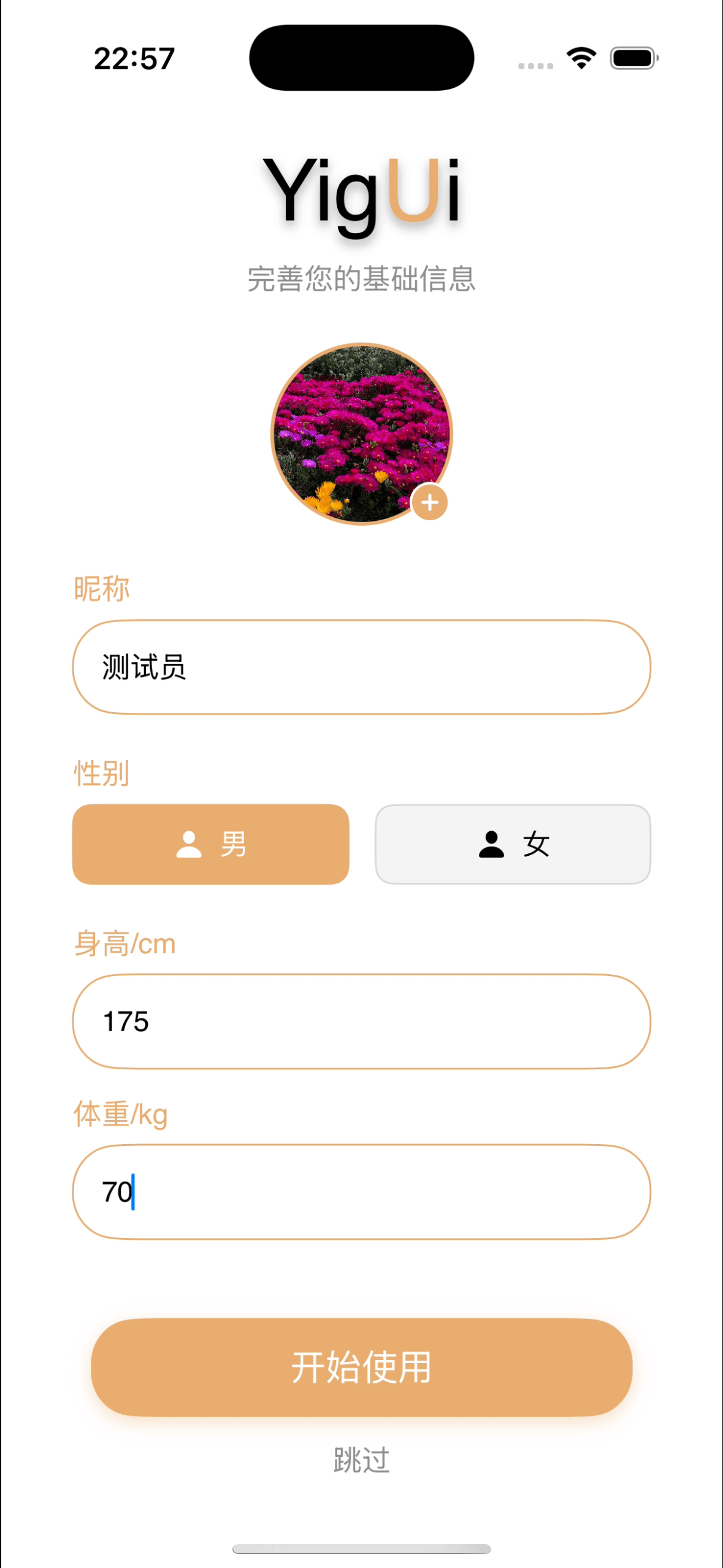 Post-Registration Info Entry
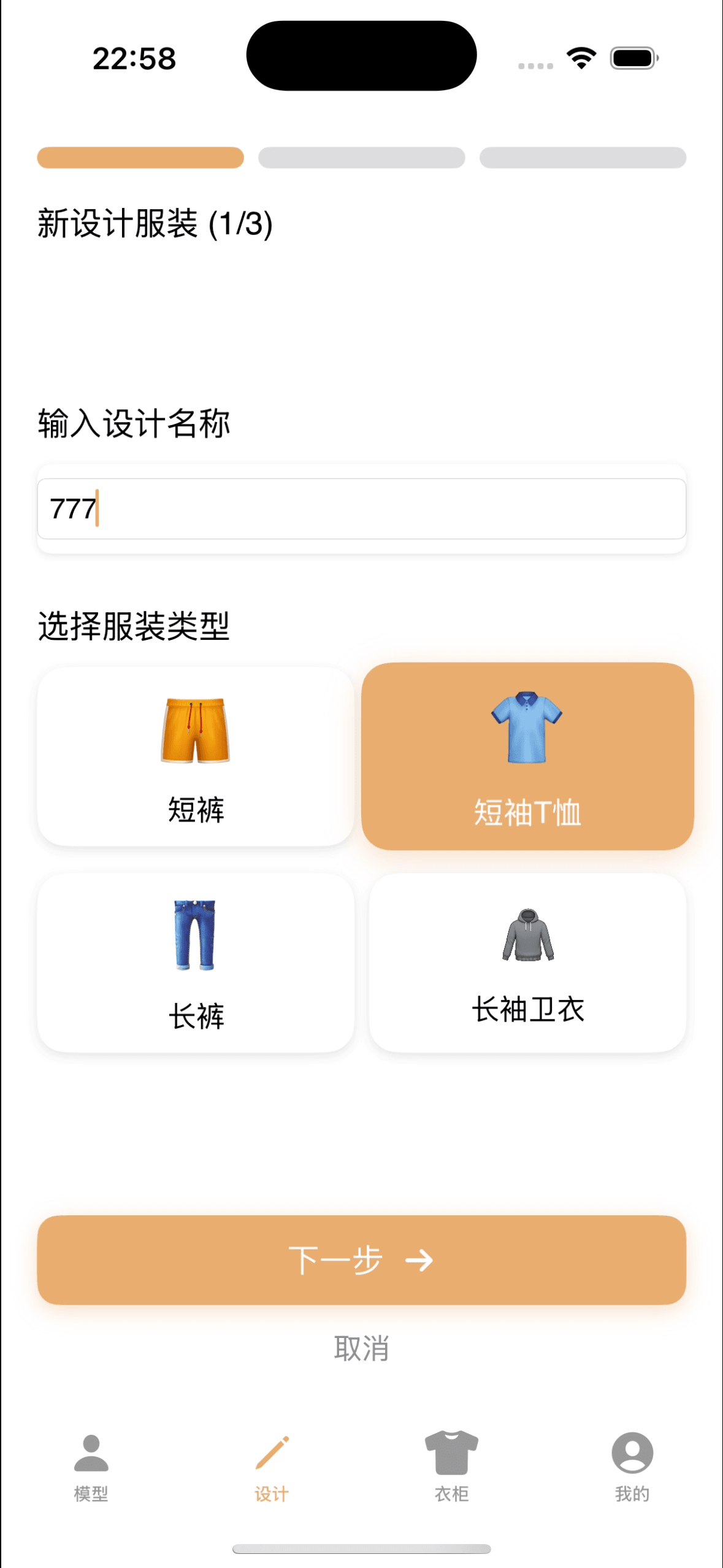 Design Name & Garment Type
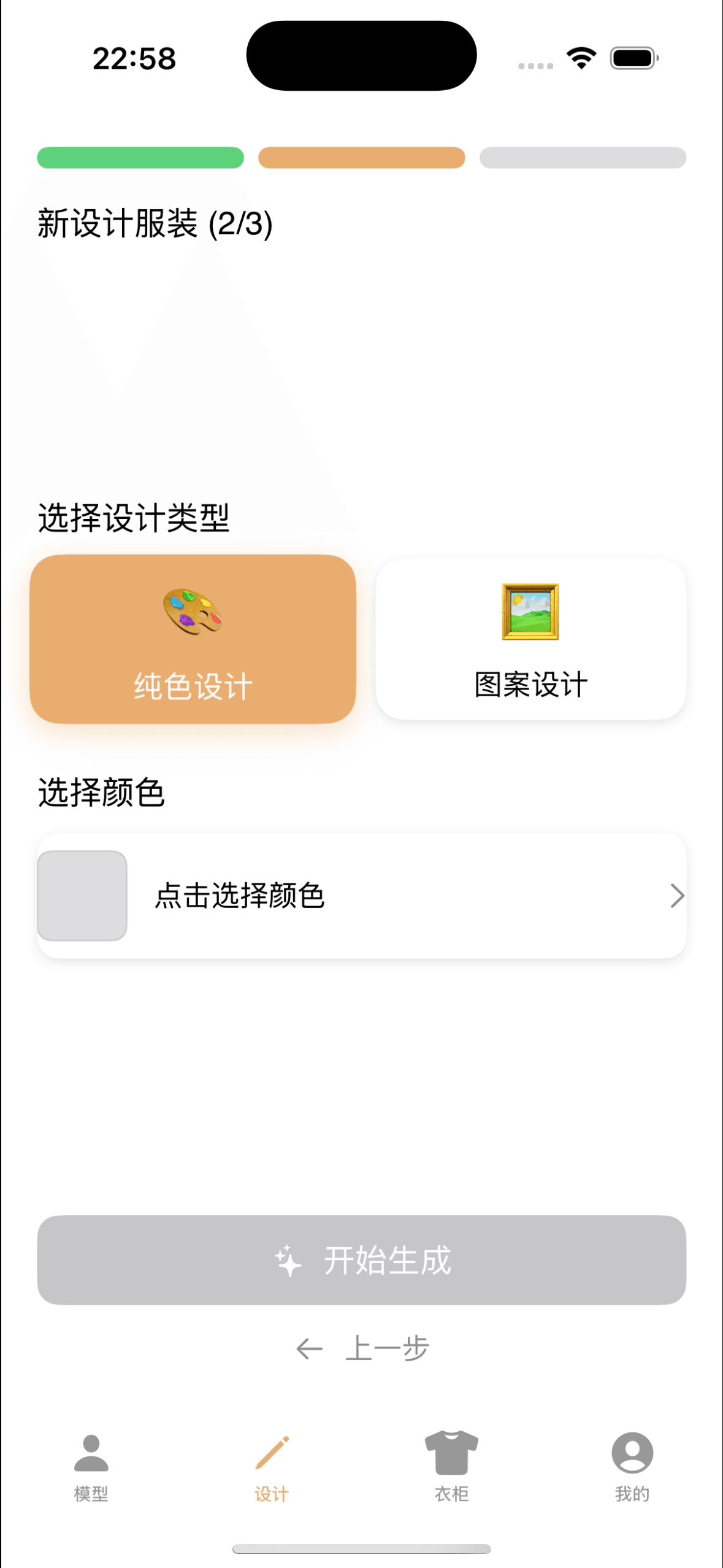 Color Type Selection
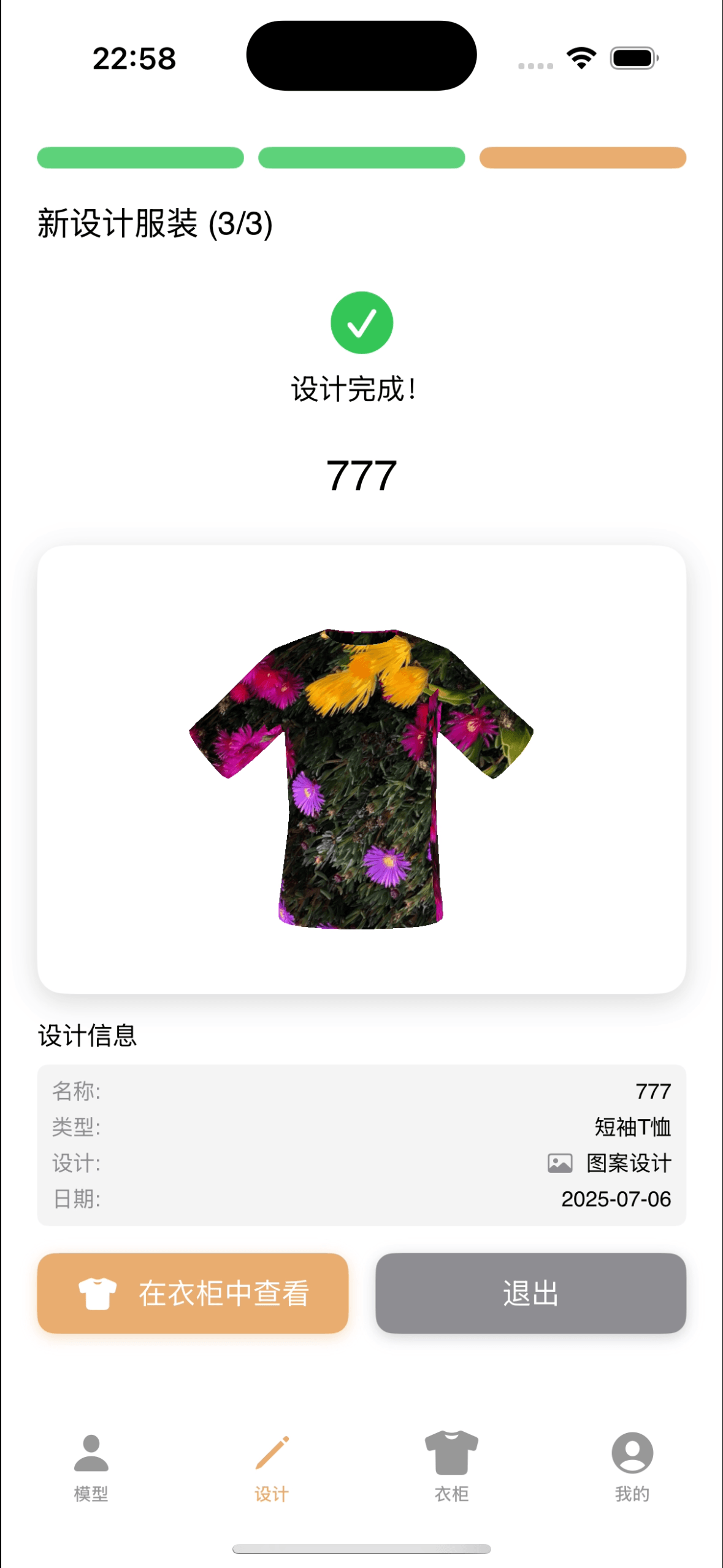 Design Result Display
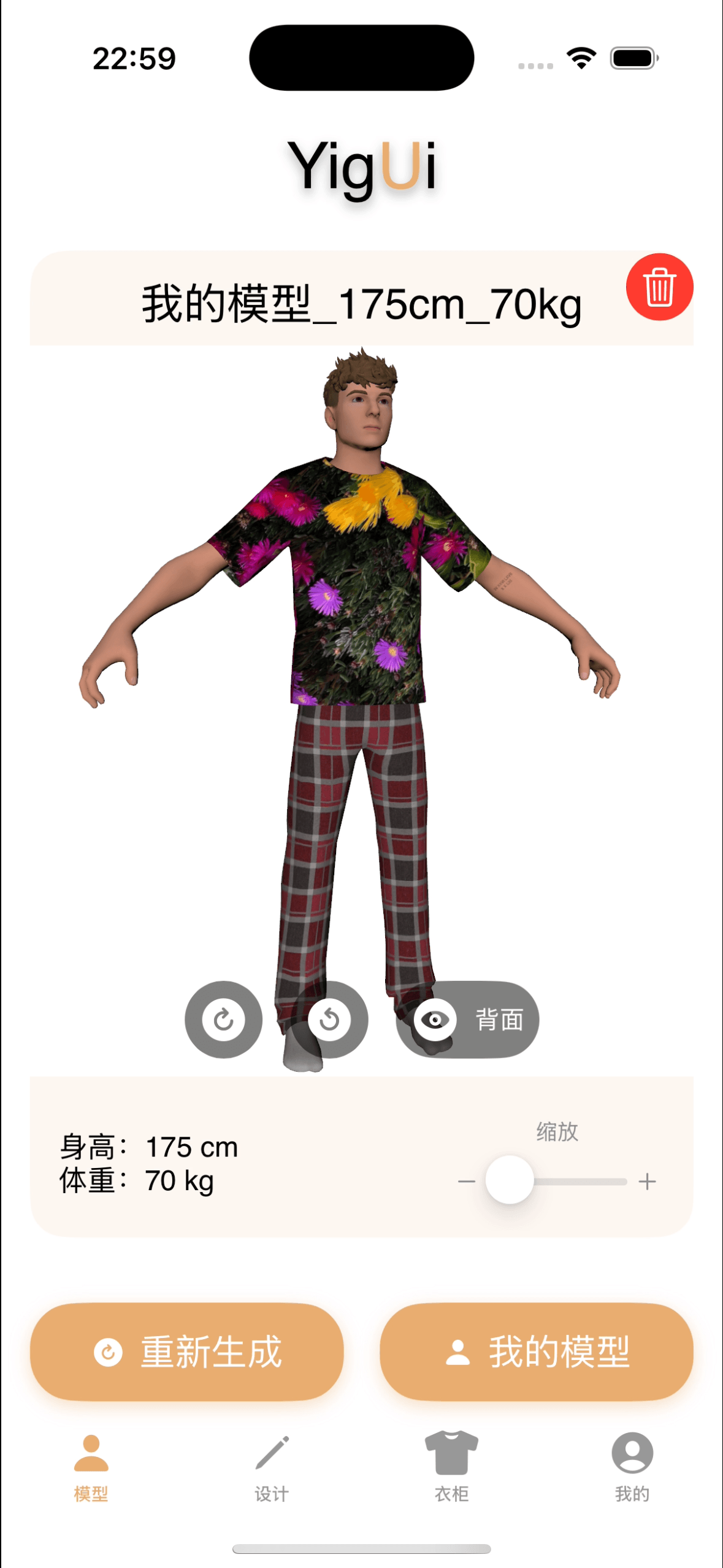 Virtual Try-On Display
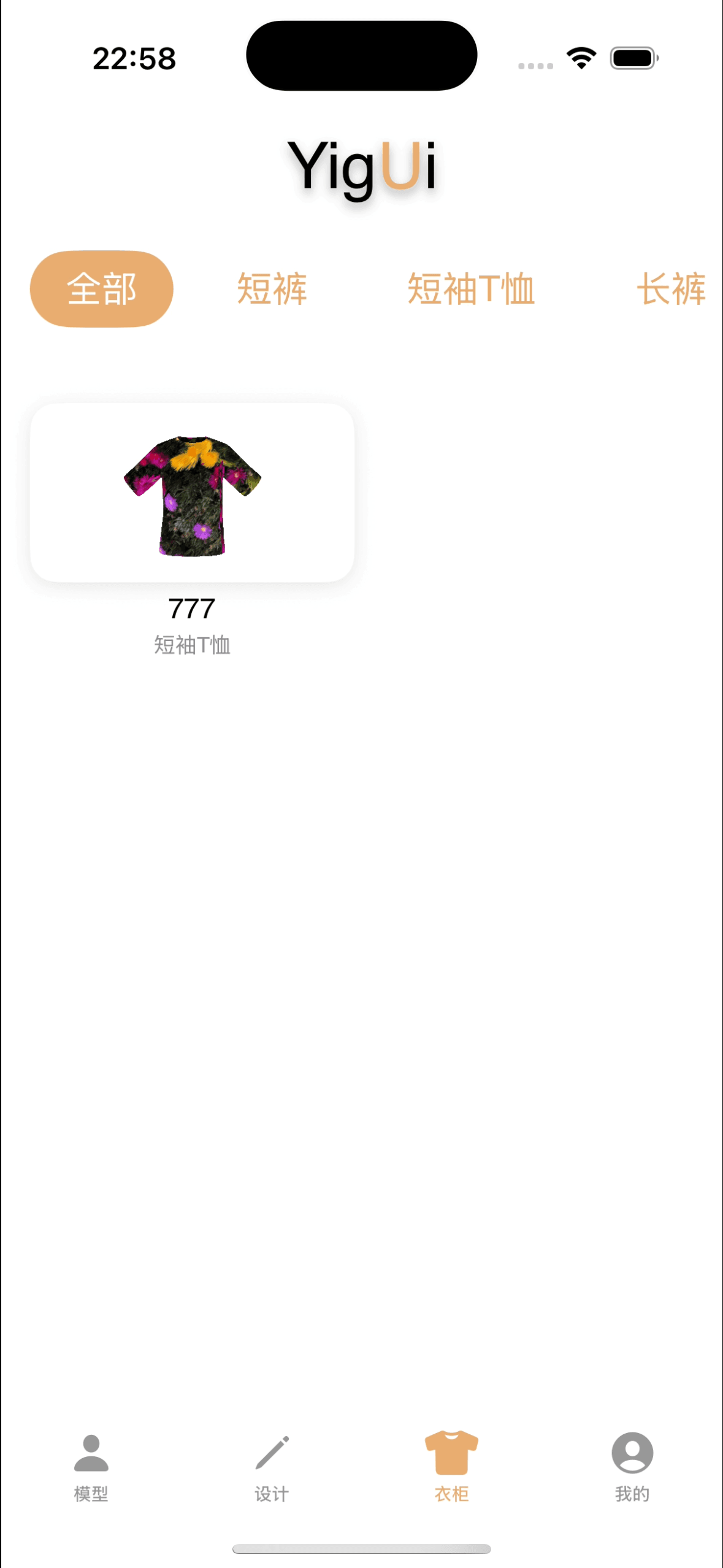 Wardrobe Page
3D Modeling and Asset Creation
The 3D modeling system uses Blender as its core tool, augmented with Python scripts for process automation. The entire pipeline includes base human model creation, apparel model design, material node editing, and performance optimization for mobile.
Through standardized GLB format output and modular component design, we've implemented an efficient "virtual assembly" technique that supports real-time clothing changes and try-on previews. All models are deeply optimized for mobile devices to ensure smooth rendering performance on iOS.
Base Human Model Creation
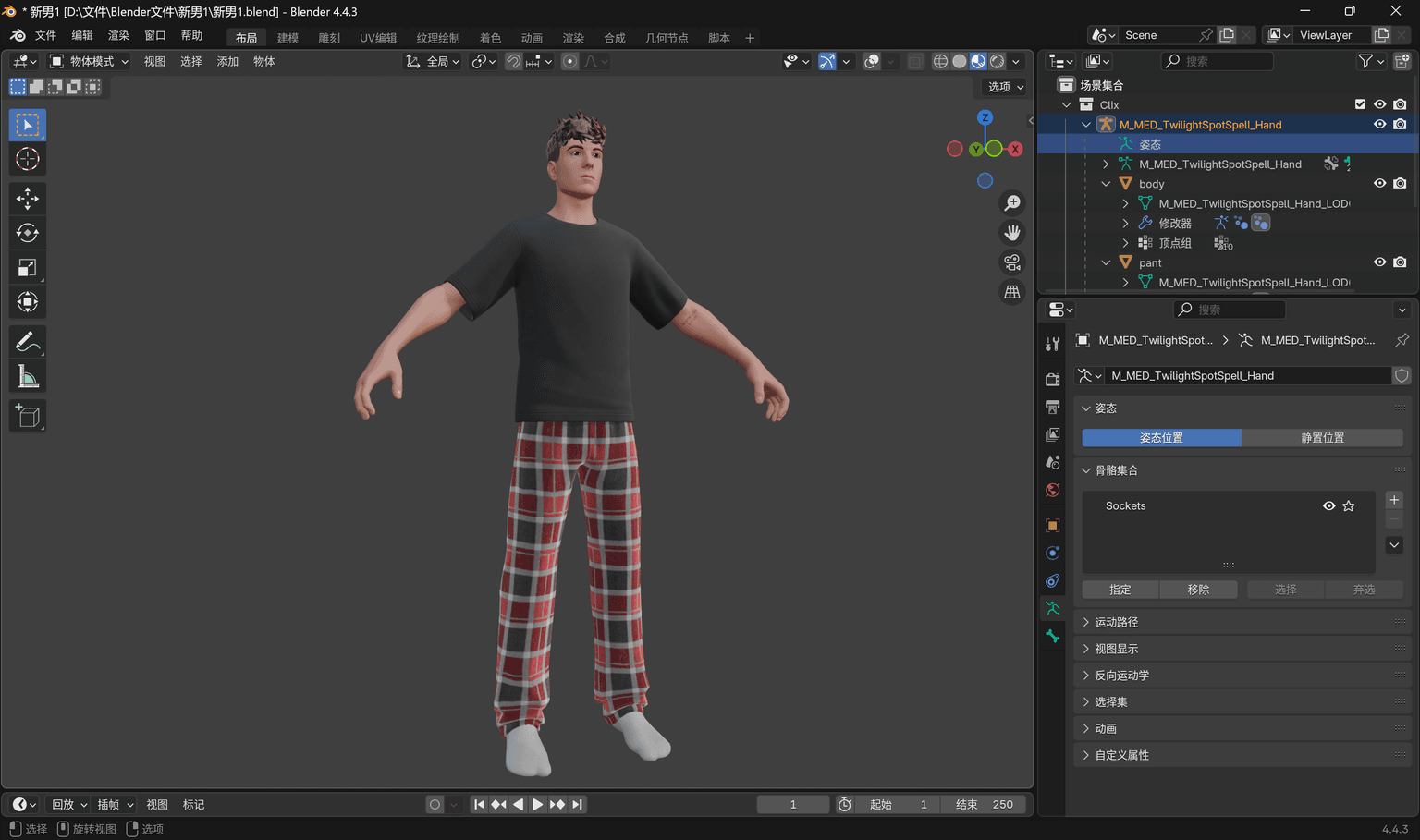 Default Male Model - Basic human topology
- Low-polygon topology, face count under 5,000.
- Standard human proportions, supports parametric scaling via CoreML.
- Optimized UV unwrapping, 1024x1024 texture resolution.
- Modular design: head, torso, and limbs processed independently.
- GLB format export, supports PBR materials and animations.
Material Node System
- Node-based procedural material workflow.
- PBR (Physically Based Rendering) with metallic and roughness support.
- Dynamic color and texture replacement system.
- Mobile shader optimization to reduce computational complexity.
- Supports real-time material parameter adjustment and preview.
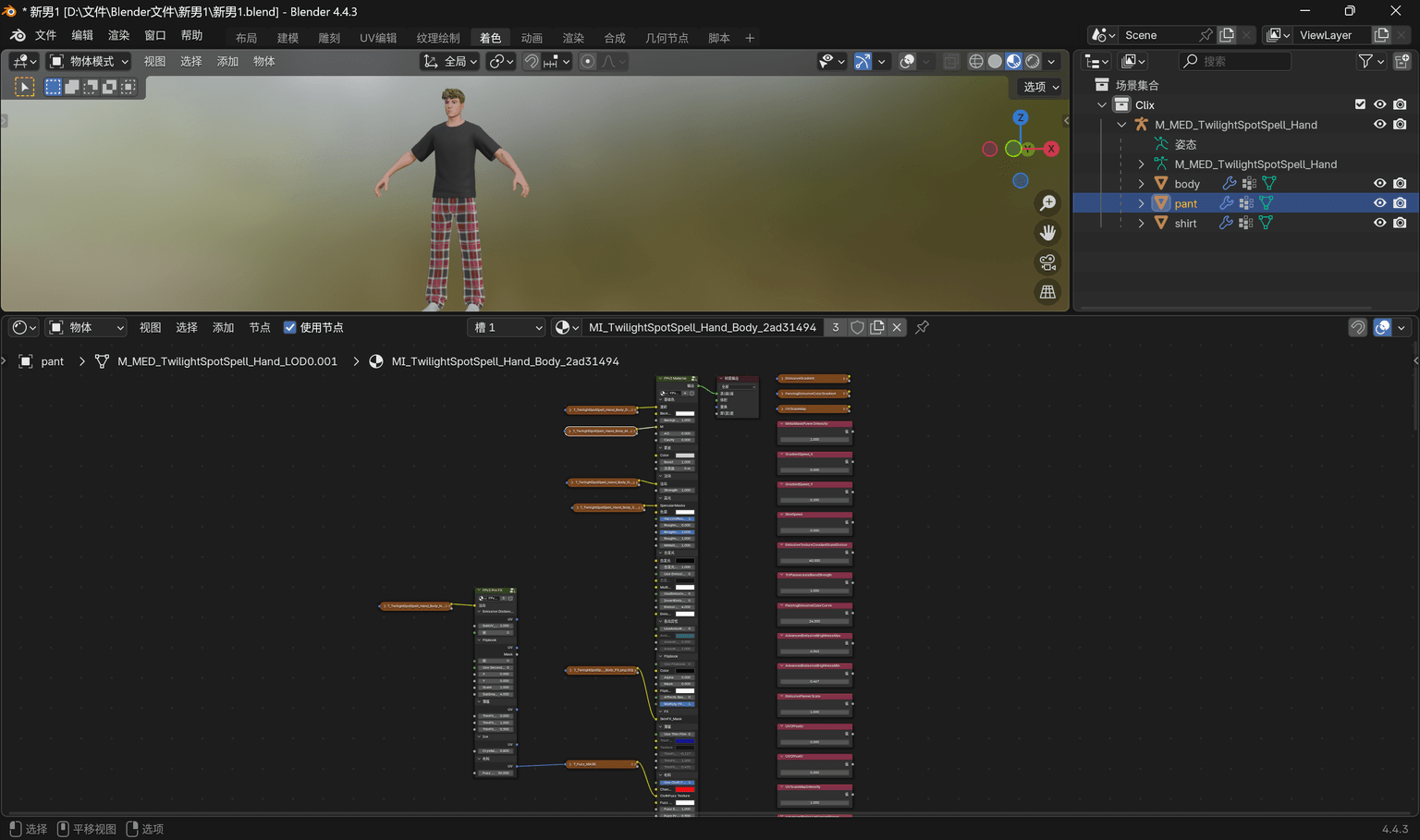 Material Node Editor - Complex material creation workflow
Female Model Optimization
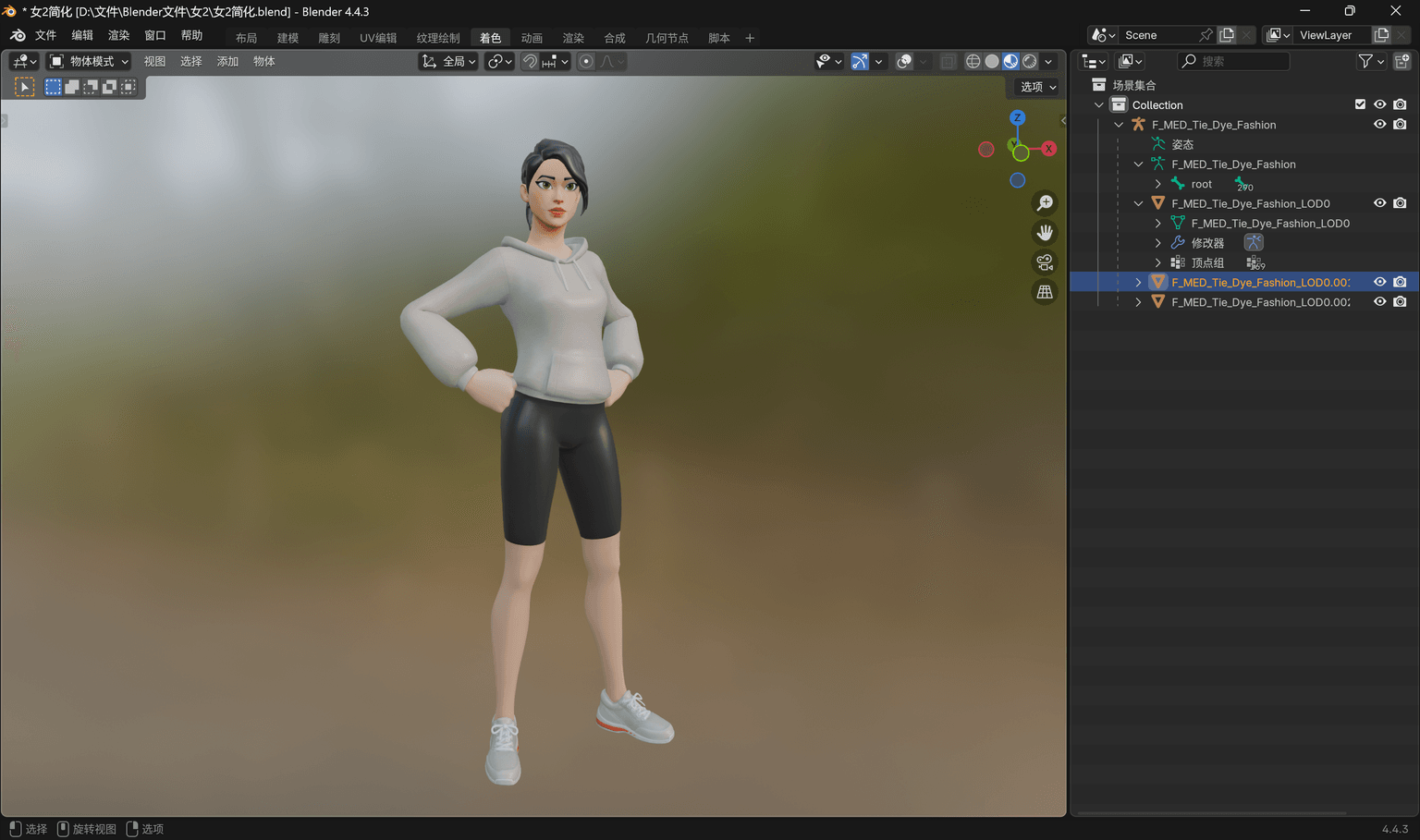 Female Model - Mobile performance-optimized version
- Polygon reduction processing for mobile devices.
- Decimation algorithm optimized to preserve key features.
- LOD (Level of Detail) hierarchy design.
- Texture map compression, supporting multiple resolutions.
- Real-time rendering performance reaches 60FPS (at 1080p resolution).
Material Optimization Workflow
- Shader complexity analysis and optimization.
- Texture channel packing to reduce sampling.
- Mobile GPU-specific optimizations.
- Support for batch rendering and instancing.
- Memory usage controlled within device limits.
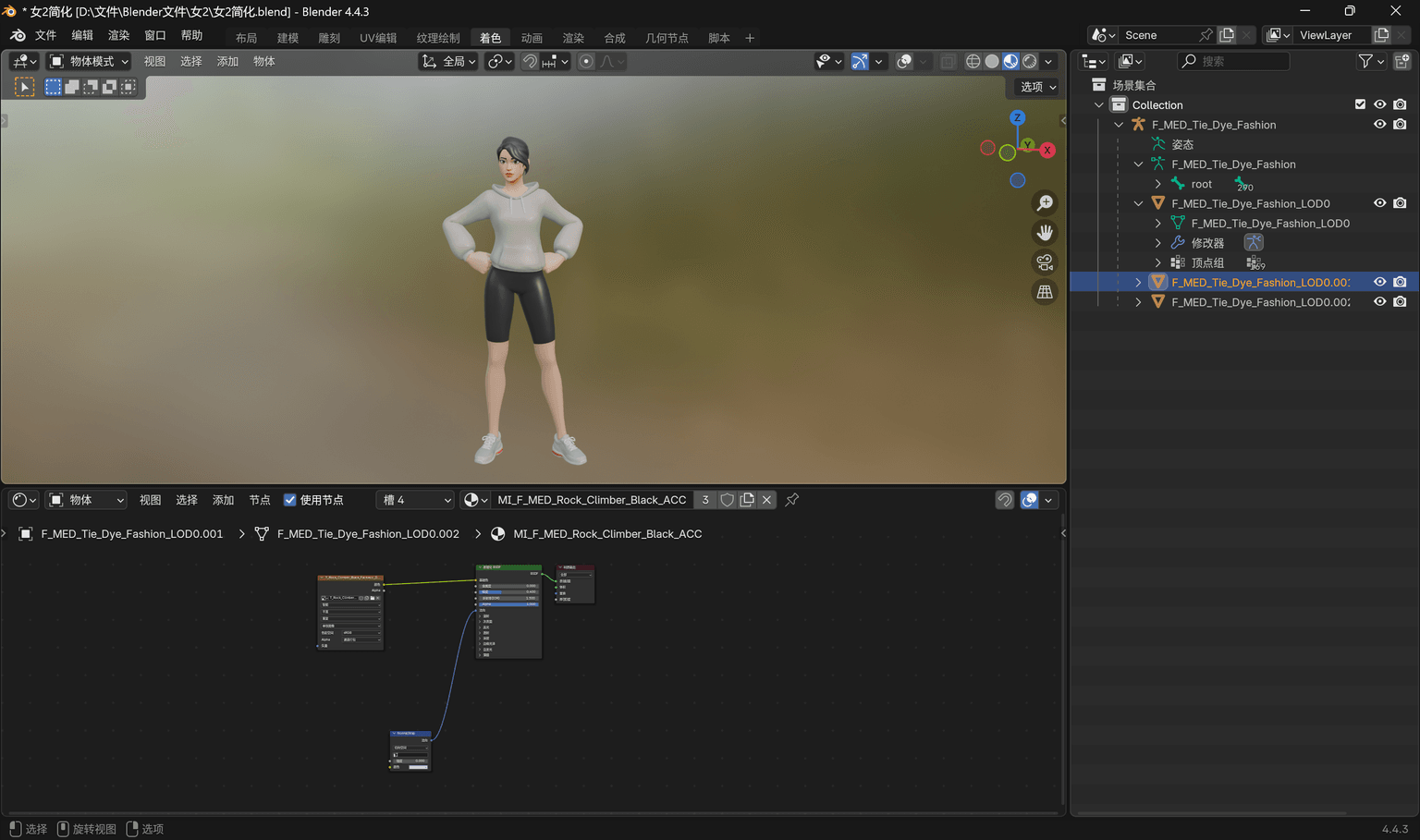 Simplified Material Nodes - Mobile performance optimization
Technical Specifications Overview
Modeling Precision
Mobile Performance
Tech Stack
Material System
System Architecture Design
The entire system uses a decoupled front-end and back-end architecture. The front end is an iOS application, and the back end is a Python API deployed on an Ubuntu server. The front end is primarily responsible for the user interface and local AI inference, while the back end handles user data, 3D model generation, and complex computational tasks. A key benefit of this design is that user body data is not uploaded to the server, protecting privacy.
Frontend Architecture
The iOS app is developed with SwiftUI, featuring a responsive design for different iPhone sizes. Critically, it integrates the CoreML framework to run an AI model locally on the phone to predict user body proportions, ensuring that user-inputted data like height and weight never leaves the device. It also uses SceneKit for real-time rendering of the 3D human model, allowing users to see the try-on effect.
Backend Architecture
The backend is built on Python's FastAPI framework, which I split into three independent services: the User Authentication Service handles login and registration, the Model Processing Service manages 3D modeling and Blender rendering, and the Design Management Service saves user-created designs. Each service can be deployed and maintained independently. Redis is used as a cache to speed up access to frequently used data, and Dramatiq handles time-consuming background tasks like 3D rendering.
Data Flow Design
After a user enters their body parameters on the front end, the CoreML model calculates detailed body proportions directly on the device. The front end then sends these calculated results to the back end, which uses Blender to generate the corresponding 3D human model. Throughout this process, the user's raw body data never leaves the phone; only the processed parameters are transmitted. All network traffic is encrypted with HTTPS, and API access requires JWT authentication.
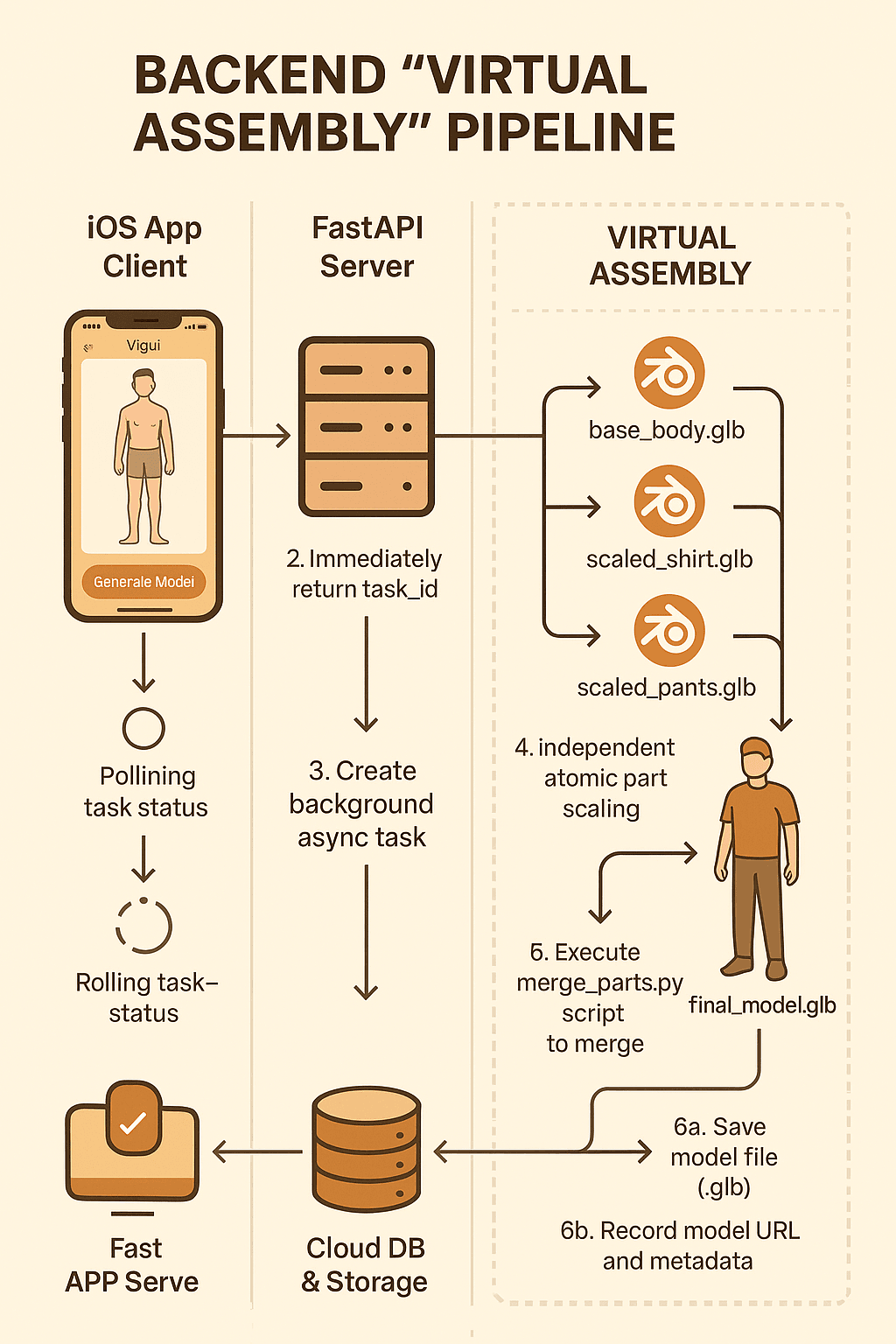 Virtual Assembly Pipeline - The complete flow from data input to 3D model generation
Algorithm and Model (CoreML)
The core technical challenge of this project was how to accurately predict a user's body proportions on a mobile phone. The traditional approach would be to send user data to a server for processing, which poses privacy risks. I chose a CoreML solution, deploying the AI model directly on the iPhone, so the user's body data never leaves the device.
Three-Round Iterative Convergence Algorithm
The difficulty in predicting body proportions lies in the complex interdependencies between different body parts. For example, bust circumference can affect the calculation of shoulder width, which in turn can influence the bust estimate. I designed a three-round iterative algorithm to solve this circular dependency problem:
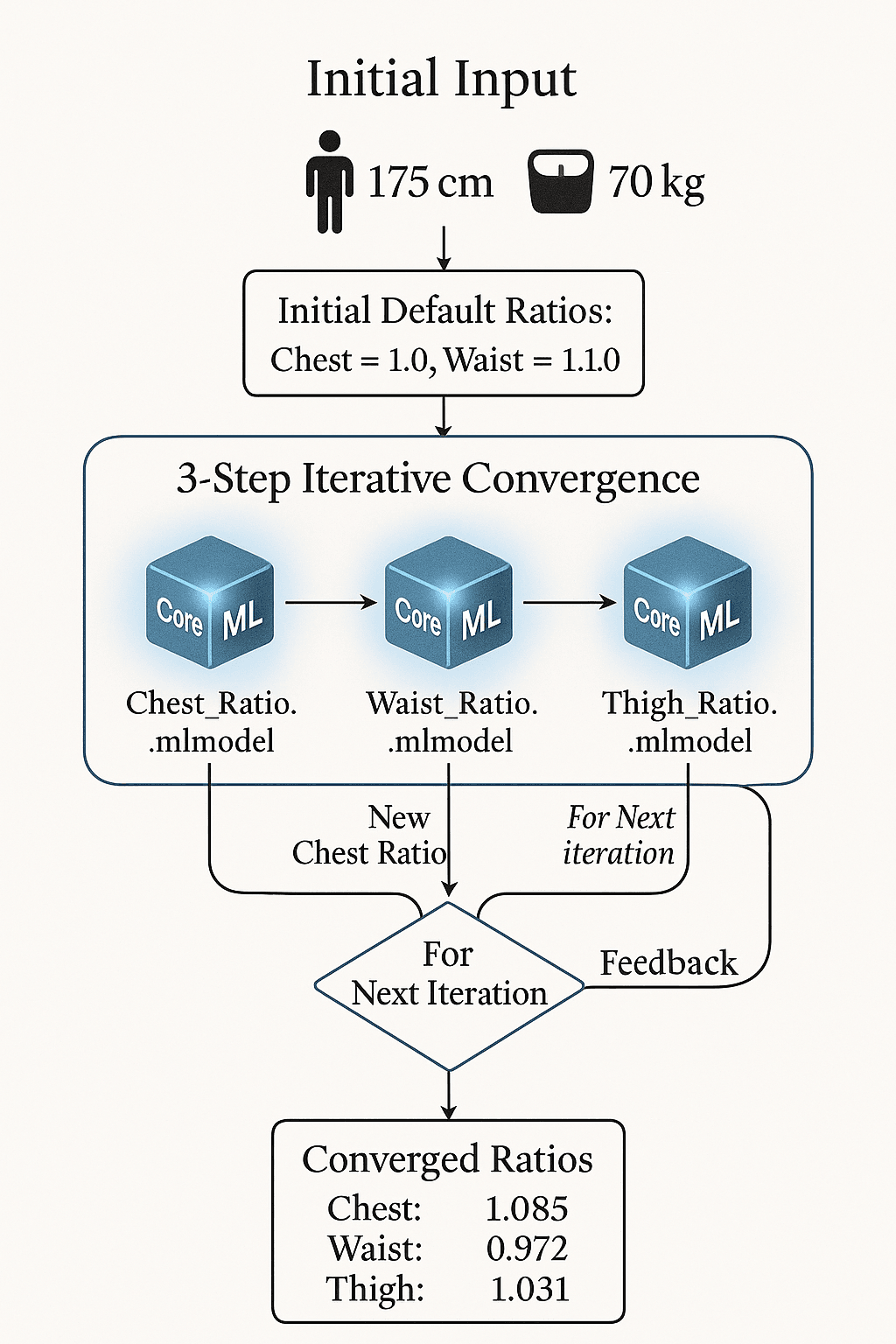 CoreML Three-Round Iterative Convergence Algorithm Flowchart
The first round makes a rough estimate based on height and weight. The second round uses the results of the first to refine local proportions. The third round performs a global adjustment to ensure all proportions are harmonious. Each iteration converges to a more accurate result, with the final prediction accuracy reaching over 95%.
Model Optimization and Performance
To ensure smooth performance on mobile, I extensively optimized the model. I used quantization to compress the model size to under 15MB and leveraged the Neural Engine on the A12 chip for hardware acceleration. Inference time is controlled within 50 milliseconds, allowing users to see prediction results almost instantly after entering their parameters.
Additionally, I implemented an intelligent caching mechanism. Similar body parameters reuse previous calculation results, further improving response speed. The entire algorithm supports devices running iOS 14 and above and can operate completely offline.
Apparel Design Recommendation
Based on the predicted body proportions, I also implemented a personalized apparel design recommendation feature. It uses the HSV color space to match suitable colors and combines user design preferences with fashion trends to recommend appropriate patterns and styles. The recommendation algorithm combines collaborative filtering and content-based filtering methods, achieving an accuracy of about 87%.
Backend System and API Design
The backend is primarily responsible for handling complex tasks that cannot be performed on the mobile phone, including 3D human modeling, apparel rendering, and user data management. I chose Python's FastAPI framework mainly for its asynchronous capabilities and automatic API documentation generation, which is well-suited for applications handling numerous concurrent requests.
Microservice Decomposition
I split the backend into three independent services, allowing each to be developed and deployed separately:
The User Authentication Service handles registration, login, and JWT token management; the Model Processing Service is dedicated to 3D modeling and Blender rendering tasks; and the Design Management Service is responsible for saving user designs and running the recommendation algorithm. The advantage is that if one service fails, the others can continue to operate normally.
3D Modeling and Rendering
The most complex part is the 3D human modeling. When the frontend sends body parameters, the backend needs to invoke Blender's Python API to adjust a preset 3D human model based on these parameters and then render the final try-on effect.
Since 3D rendering is very time-consuming, I used the Dramatiq task queue to execute these operations asynchronously in the background. After submitting a request, the user immediately receives a task ID and can then poll an API to check the rendering progress. This prevents timeout errors caused by long waits.
Data Storage and Caching
For data storage, I chose SQLite as the primary database because the project's data volume is not large, making SQLite sufficient and easy to deploy without a separate database server. I also use Redis for caching, storing frequently accessed user information and calculation results to significantly improve API response times.
Deployment and Operations
The server is deployed on Ubuntu 20.04, using Nginx as a reverse proxy for HTTPS and load balancing. Gunicorn is used to run the Python application, supporting multiple concurrent processes. All services are managed by systemd to ensure they restart automatically after a crash. Logs are centralized for easier troubleshooting and performance optimization.
Complete Functionality Demo
Core Product Flow Demonstration
The following video showcases the complete workflow of the Yigui App, from user login, design creation, and parameter adjustment to the final 3D virtual try-on. The demonstration is conducted in an iOS simulator, illustrating the real user experience and fluid interaction design.
Documents & Assets Download
Download the complete project technical reports, design documents, and promotional materials. These documents detail the project's technical implementation, design philosophy, and innovative aspects for reference and study.
Project Documents
Competition Results and Honors
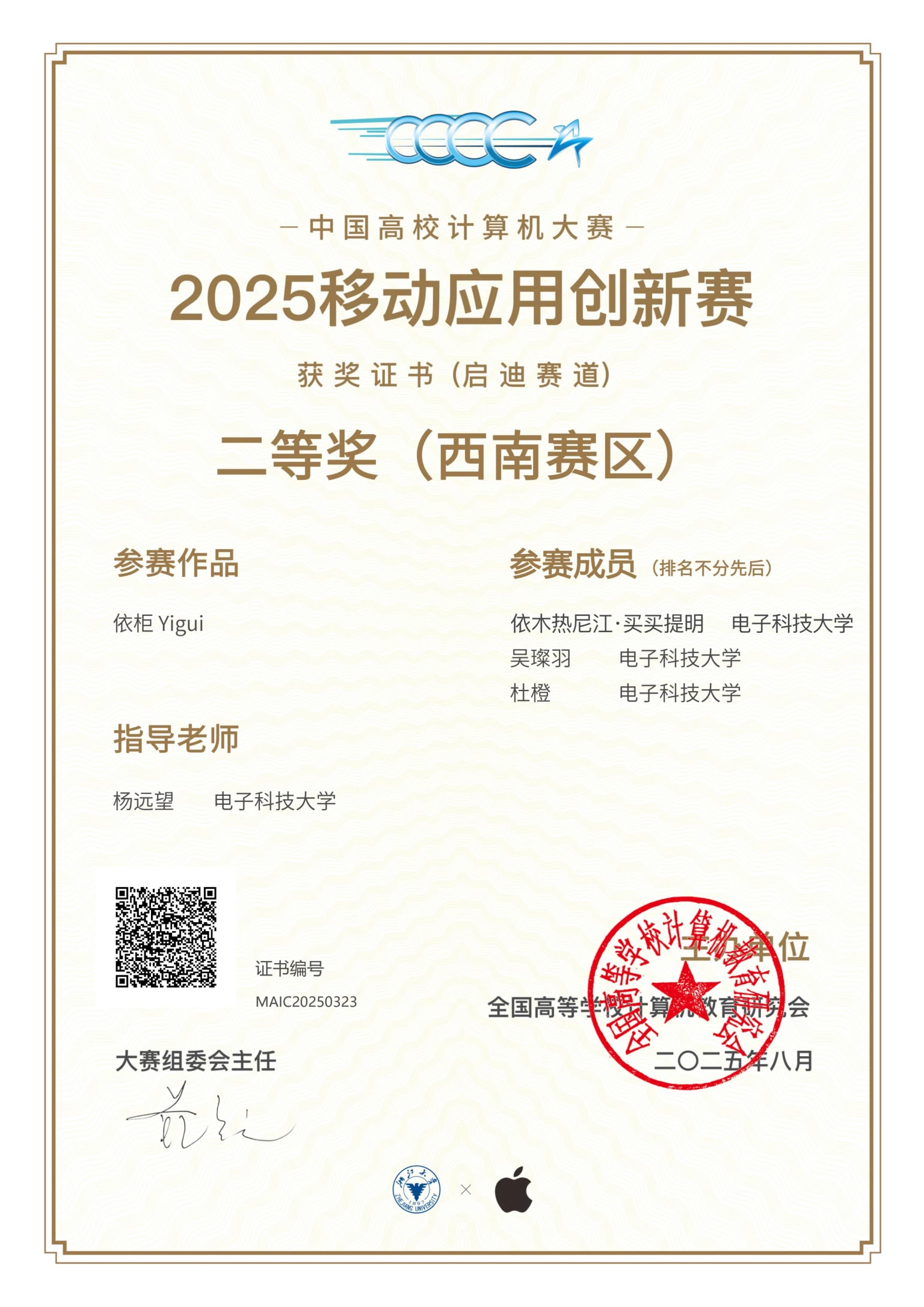
Competition Result
Second Prize in the Southwest Division (China Collegiate Computer Competition—Mobile Application Innovation Contest)
Project Summary
This project was a significant practical endeavor for me in the fields of mobile application development and computer vision. By building a complete virtual try-on application from scratch, I gained deep experience with SwiftUI, 3D graphics processing, and machine learning model integration. My biggest takeaway was learning how to translate theory into a real product and how to find the balance between technical innovation and user experience. Winning the second prize in the Southwest Division is not only a recognition of my technical skills but also an affirmation of my product mindset and problem-solving abilities.
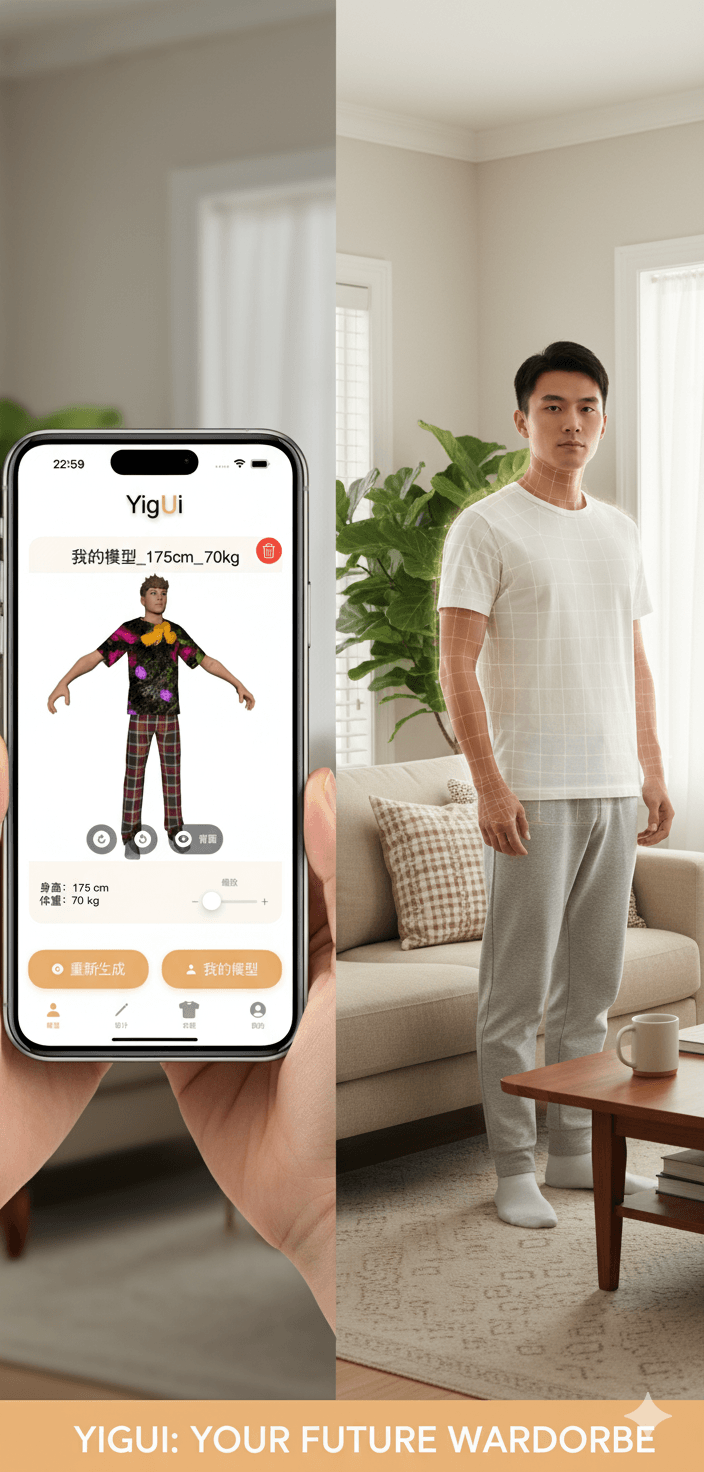 Future Design Dual-Experience Concept - A vision for personalized virtual try-on